

Katarzyna Pawlak
•Sep 24, 2026
Build an automated employee recognition program inside JSM. Discover how to connect Assets, Feature Bundle, and Atlassian Rovo for deep cultural insights.

Integrate HubSpot CRM data into Jira items – align entire teams, reduce context switching and accelerate work
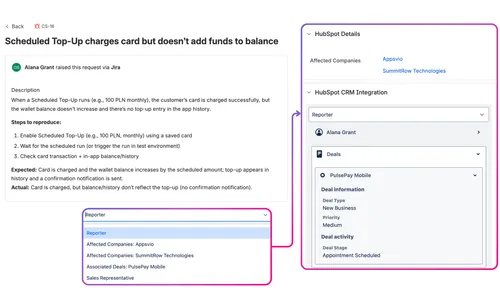
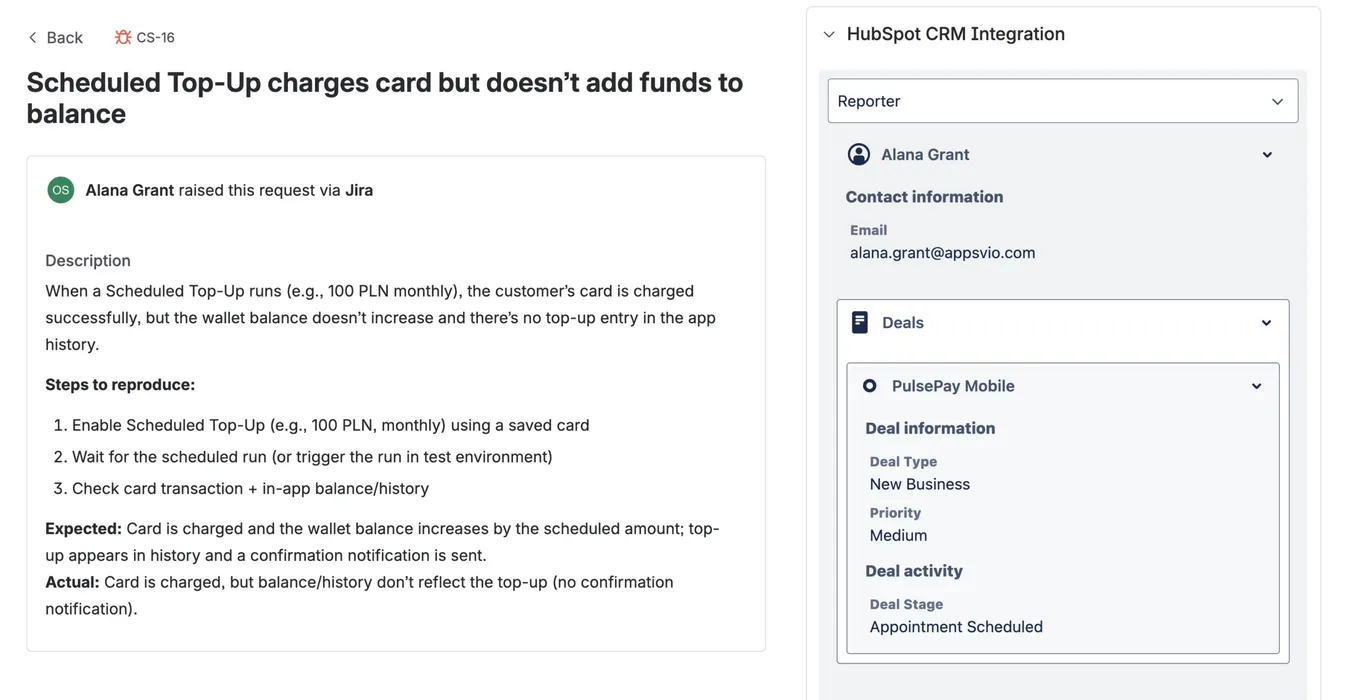
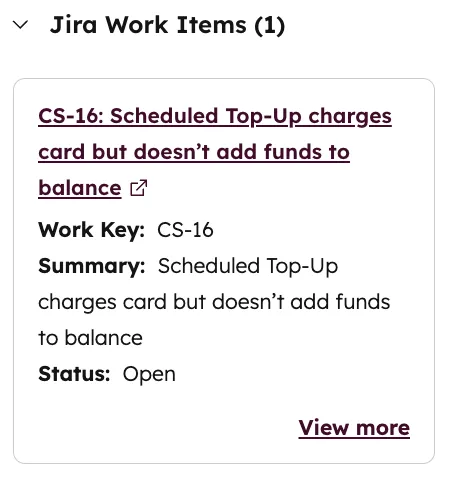
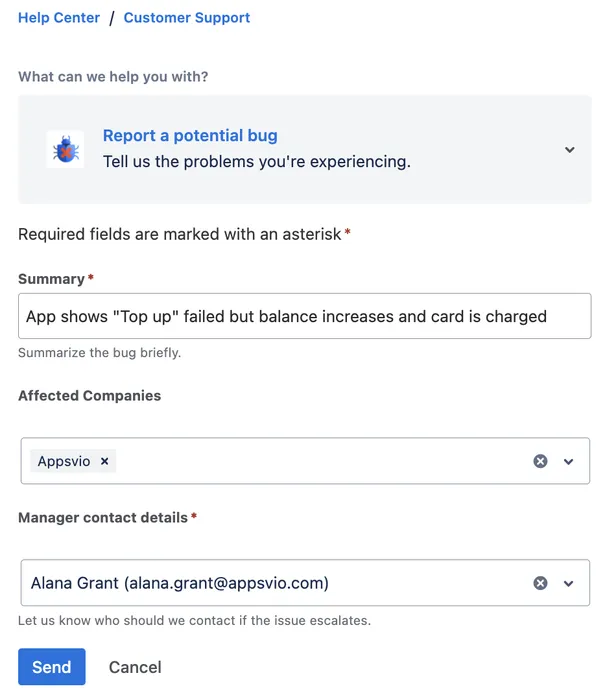
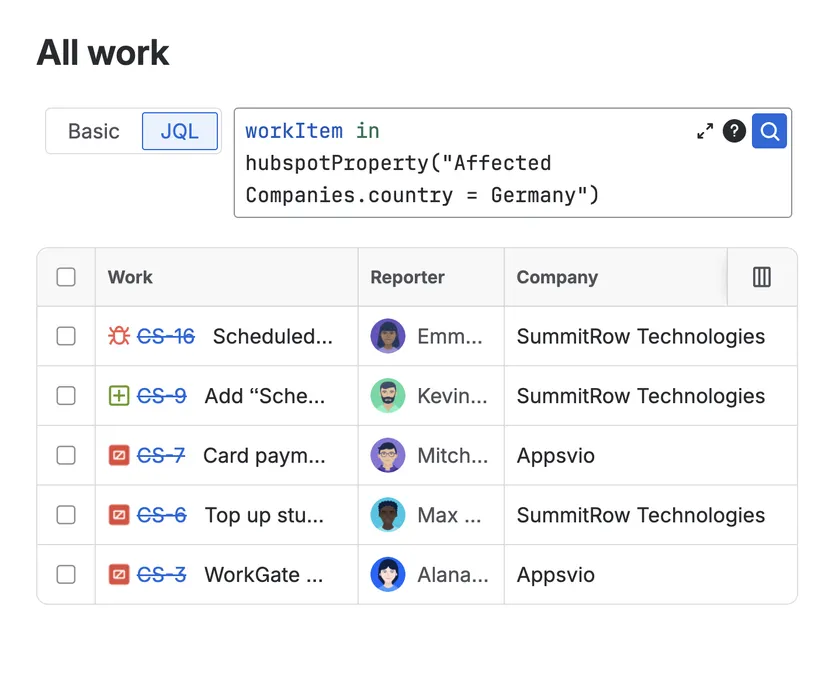

Arm Sales and Support with live context from both tools to accelerate responses and move revenue‑impacting work forward.
Keep people in either HubSpot or Jira while they see real-time data from the other system. Fewer clicks lead to clearer focus.
Teams know instantly which customers, companies, deals are affected. Triage work in Jira based on revenue, segment and urgency data from HubSpot.
Surface shared data where work happens. Everyone - from devs to sales - sees the same customer details, status and history.
Search and report in Jira using HubSpot attributes. Easily track the value delivered and spot emerging trends.
Built on Atlassian Forge, the app guarantees maximum security. This includes supporting Atlassian Data Residency and no data egress.
Best HubSpot integration yet. Had a small issue with searching for a match when using custom field, reported to dev team and a few days later the had implemented improved search matching functionality.

Craig Parsons
Enterprise Architect
In the midst of migrating from Freshdesk to Jira Service Management (JSM) coupled with HubSpot, finding an app that could integrate these platforms effectively was paramount. This app surfaced as a solution during our transition period and has since been an integral component in our toolkit. It promises to provide read-only data visibility on Jira tickets, and it does exactly that's no more, no less. This level of precision in functionality is what sets it apart; it delivers exactly what is advertised, striking the perfect balance for our requirements. Although the object picker in custom fields offers a limited view, it's precisely tailored to our operational needs.

Mauricio Flores
The app does what it promises and the fields you can get from HubSpot to show in Jira are very customizable. It's worked for us in every expected way except for the fact that we cannot control which projects actually display the app's interface, but that's on Atlassian and Forge. Thanks for a great app!

Wojciech Wardaszko
The setup was super easy. I'm still getting our Hubspot up and running properly so if it ends up allowing integration for custom objects, then that will end up delivering massive value to our support staff leveraging Jira Service Desk.

Kaiser Ahmad


Get quick answers on the essentials of HubSpot-Jira CRM Integration
Katarzyna Pawlak
•Sep 24, 2026
Build an automated employee recognition program inside JSM. Discover how to connect Assets, Feature Bundle, and Atlassian Rovo for deep cultural insights.
Dariusz Jaroń
•Aug 12, 2026
Tired of "When will this be fixed?" emails? Show live Azure DevOps tasks right inside your JSM portal - no extra licenses, no sync risk.

Dariusz Jaroń
•Aug 5, 2026
Learn how to securely display Salesforce cases inside your JSM Customer Portal using UniPortal - creating a single pane of glass for your customers without custom code or extra CRM licenses.
Appsvio builds apps that simplify Jira Service Management and testing workflows for teams worldwide. Named Atlassian Partner of the Year for ITSM App Solutions in 2023, Appsvio has also been nominated for High Velocity Service Management Apps (2025) and for both Software Collection Apps and Teamwork Collection Apps in 2026.



Copyright 2026 Appsvio. All Rights Reserved. This website does not use cookies.
