
Katarzyna Pawlak
•Feb 22, 2026
Read how to display workflow on the Customer Portal and visualize request progress in JSM. Transform static workflow statuses into a clear ticket lifecycle to boost customer trust and reduce support volume.

Let customers edit, escalate requests and track their progress – reducing tickets and boosting satisfaction.
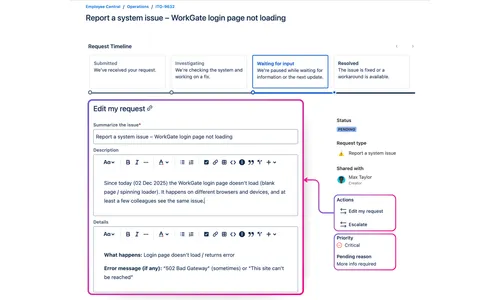
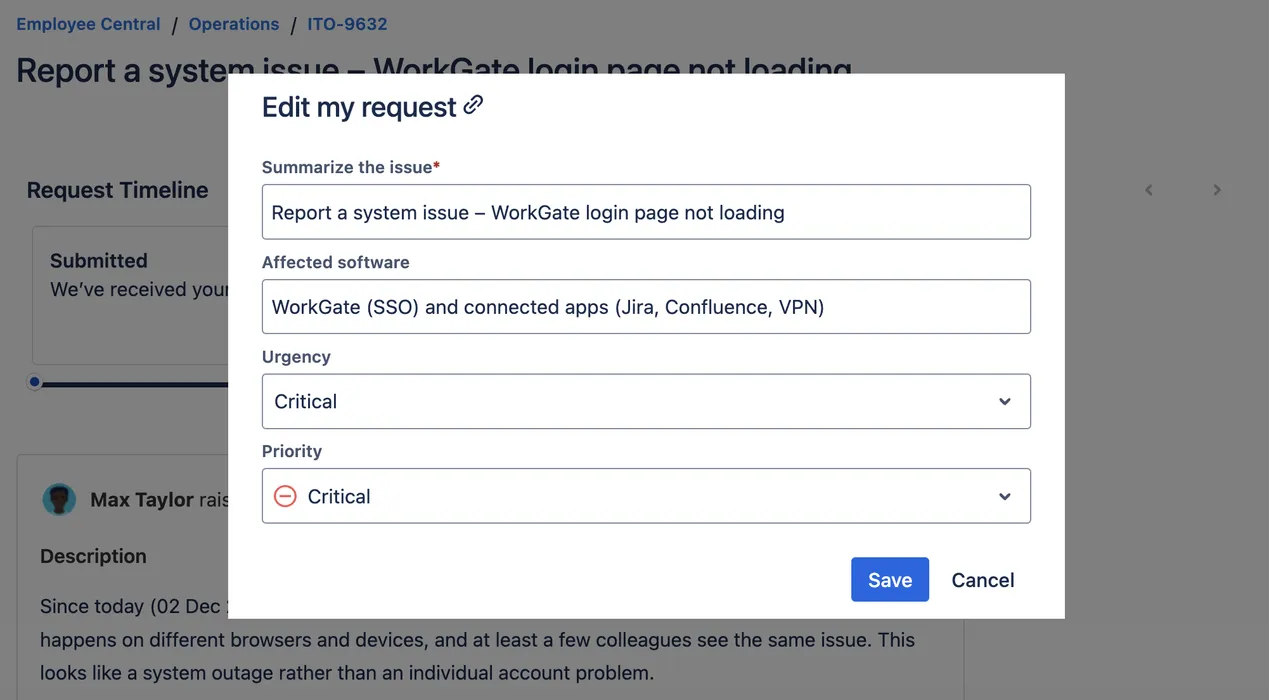
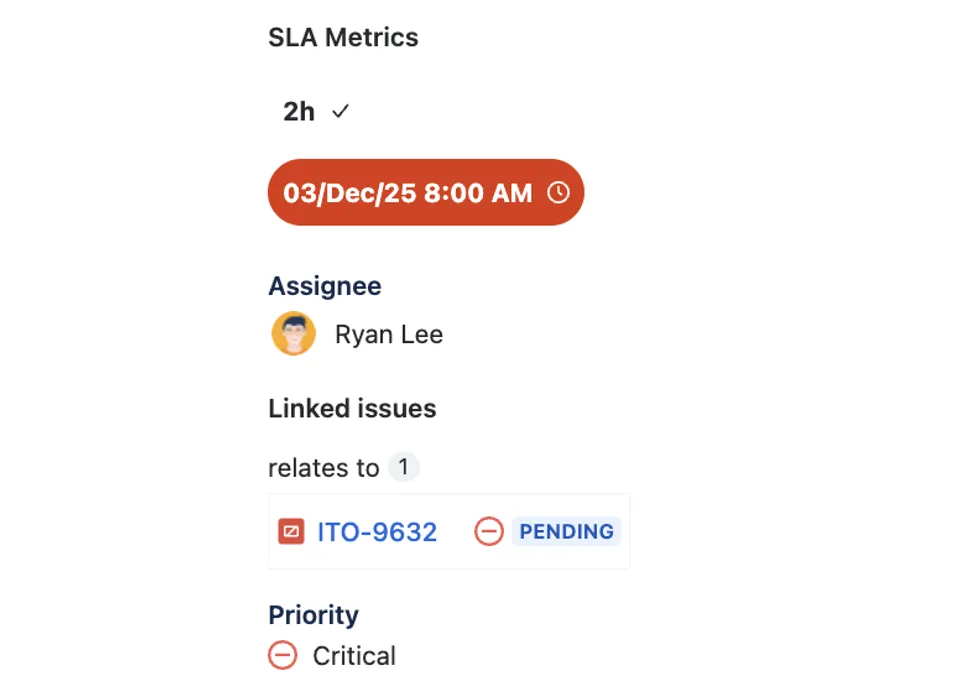
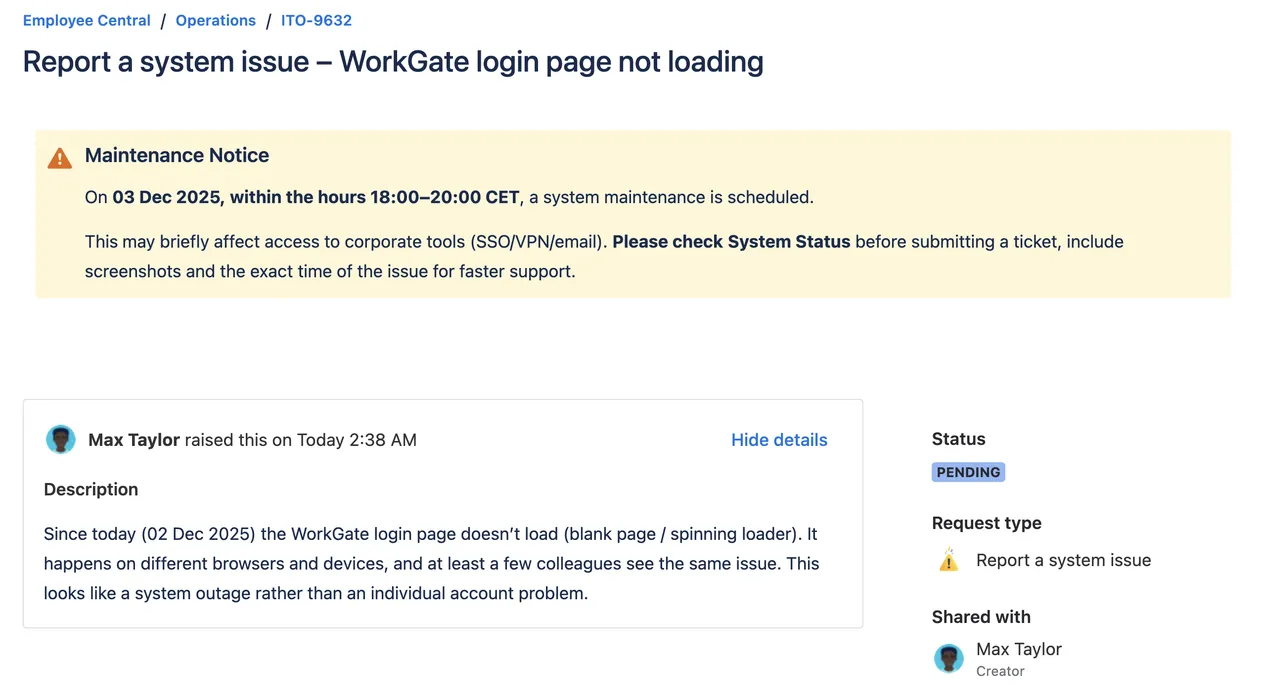
Offload data entry and status checks to the portal's self-service actions, letting agents focus on solving issues.
Editable requests, clear steps and timely banners keep customers informed, and move tickets faster through the lifecycle.
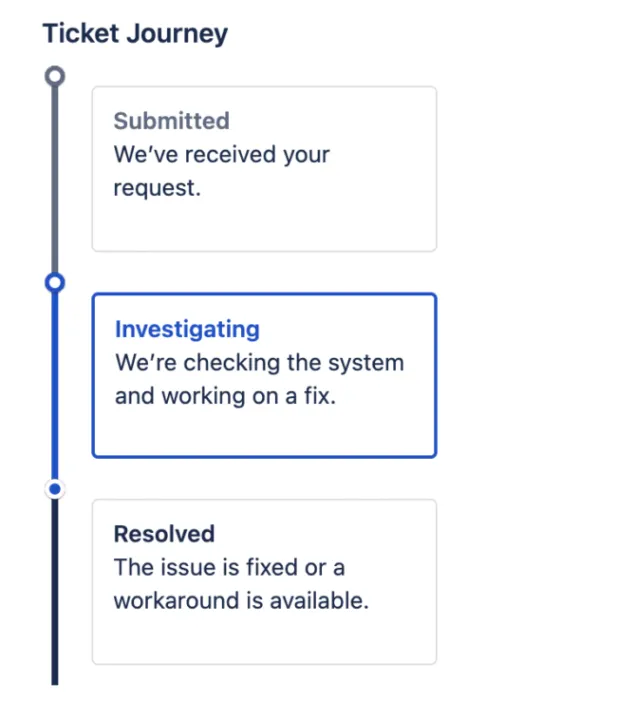
Increased transparency via Ticket Journey and Additional Fields eliminates "Why/When" comments and needless status checks.
Schedule critical announcements for incidents or maintenance, targeting users by organization, role, language or request type.
Surface all context - linked issues, field data and workflow statuses - to end hunting for information across different tools.
Standardize self-service actions and visibility across teams and projects to easily scale your support processes.
Feature Bundle for JSM Cloud is a feature-packed app. The ability to allow customers to edit selected fields, either anytime or only on tickets of a certain status, is really helpful and eliminates having to "request" a change via commenting.

Betsy Walker
Vice President, Business Systems and Processes
With the latest release, translations are finally possible! This is now one of the coolest and most useful plugins available for anyone wanting to facilitate the interactions on your Service Desk. Thanks so much for enabling the translations! 💕.

Tobias Schär
Founder and Executive Director
Feature Bundle for JSM Cloud is a powerful app with an impressive array of features. Allowing customers to edit selected fields at any time or only on tickets with a specific status is extremely helpful, eliminating the need to request changes via comments. Additionally, the ability to display extra fields like Assignee and Resolution on the customer portal view of a ticket ensures thereâs no confusion about whom to contact if the ticket changes hands. The announcement banner feature is excellent too, allowing for scheduled and highly customizable announcements to ensure important messages capture the service desk customers' attention. Overall, it's a great app!

Hanna Torany
This is a useful and flexible app, offering unlicensed customers ability to edit certain fields at certain workflow statuses directly from the request portal (for their requests). The fact the issue fields are updated means automation and filters can leverage the updates without needing an agent to read a freetext comment and manually update the issue fields in the agent view. The banner manager allows multiple portal and request view announcements to be managed independently and unpublished upon resolution of a related issue (e.g. an incident causing an outage). The Appsvio team is very friendly and responsive. Highly recommended.

Rick Earl
We love the visibility this extension adds to certain fields and internal processes for our clients. Additionally, we have some clients who use the edit request functionality very readily, so it's nice that we can leave an audit trail in the form of comments when this happens. Contacted support with a few feature questions such as DateTime formatting in additional fields and selective visibility of additional fields, and received a response same-day saying they'd discuss the features internally, so that's a great sign that this extension is well supported.

Tom Rismeyer
Very useful tool! Giving our customers more functionalities to control their tickets after they are made. Also the visibility of the workflow (Request Steps) is very handy. Now our customers have something visual to see the flow of their tickets and why they ticket is in that specific status. They have become "a little :-)" more understanding now if some tickets stay in the same status for longer periods than one day. The display of additional fields with the possibility to add conditions to it and even the place in the ticket view is one thing I didn't see with relevant add-ons that we first tried. In short, this is a must-have if you want to further expand your customers their experience in your portal!

Thomas Simaels
A very useful plugin for the service desk. It is simple and very functional at the same time, which allows customers to edit appropriate fields from the portal. What about support, they are very friendly and customer-oriented, answer questions very quickly and resolved issues very fast. Thank you for all your help.

Nani Gurgenidze
Customer Actions
Additional Values
Customizable Banners
Ticket Journey
SLA Metrics Display
Assets Fields Display
Editable Assets Fields
Support
Customer Support
Gluon is a powerful app for Jira Service Management designed for large organizations. Coming before Team26.
Get quick answers about Feature Bundle – an extension for the Jira Service Management portal (Jira Service Desk)
Katarzyna Pawlak
•Feb 22, 2026
Read how to display workflow on the Customer Portal and visualize request progress in JSM. Transform static workflow statuses into a clear ticket lifecycle to boost customer trust and reduce support volume.

Katarzyna Pawlak
•Jan 14, 2026
Discover the best apps for Jira Service Management in 2026 to improve customer portals, streamline ITSM workflows, and boost agent productivity

Katarzyna Pawlak
•Sep 12, 2025
Read our guide on The Unified Workflow Playbook: 5-Team Guide to HubSpot & Jira on the Appsvio blog.
Appsvio apps streamline Jira Service Management and testing processes for global teams. Recognized as Atlassian’s Partner of the Year in ITSM App Solutions for 2023 and nominated in High Velocity Service Management Apps in 2025.




Copyright 2026 Appsvio. All Rights Reserved. This website does not use cookies.