Create structured issues from template
Standardizing complex processes like employee onboarding or project kickoffs requires more than a single ticket. It needs a coordinated group of tasks across multiple projects. By using automated Jira issue creation through the REST API, organizations can instantly generate a set of issues. For example, hardware setup and training tasks can be created the moment a primary request is made. This ensures every Jira story and subtask is consistent, regardless of which team handles the work.
Generating the REST API token
A secure connection is required for Jira’s automation engine to interact with the templates. This involves generating a unique API Token for the specific Jira issue templates being used.
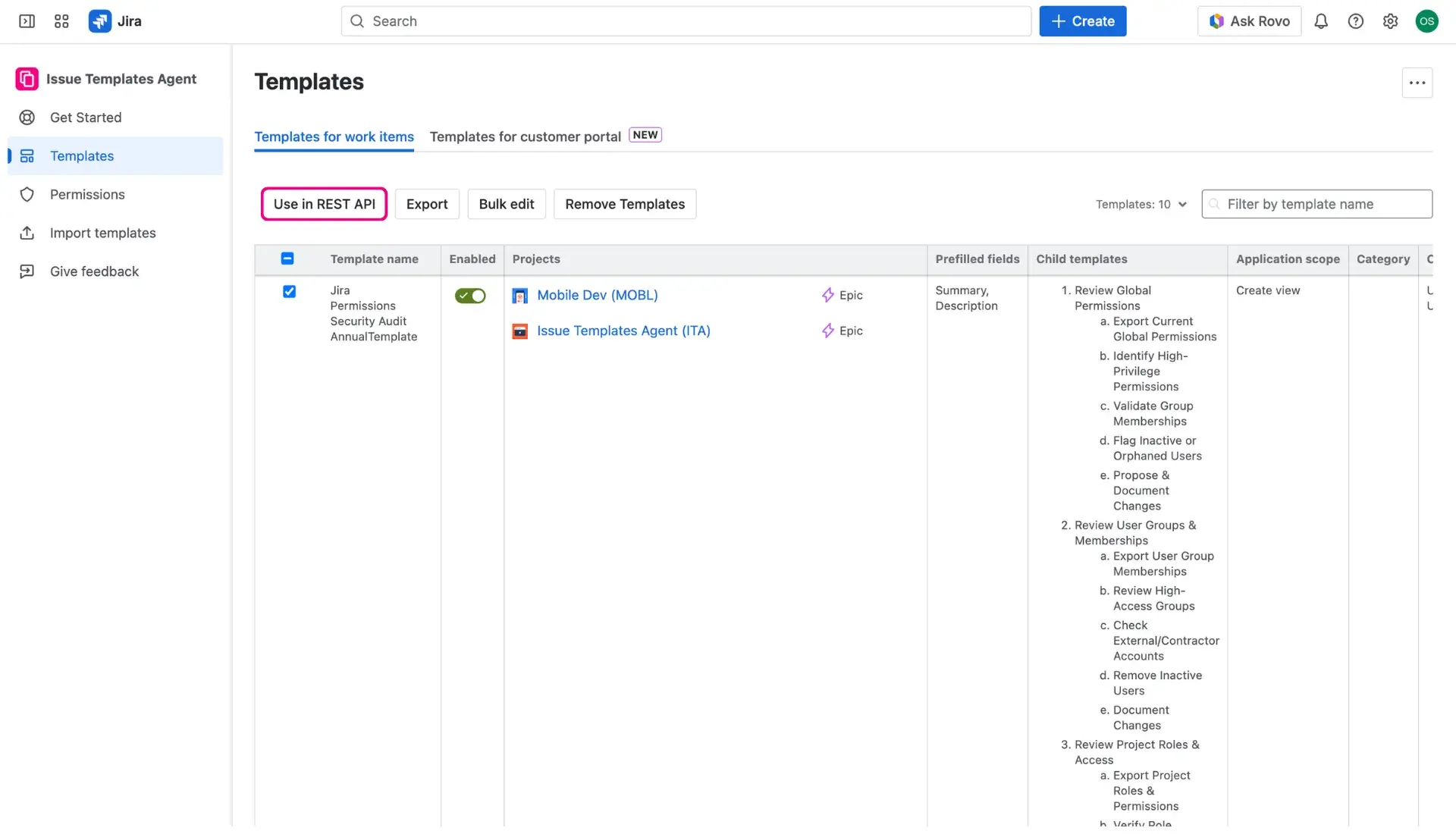
- Navigate to the Apps menu, select Issue Templates Agent > Templates.
- In the Template library, select the templates intended for automation by checking the boxes in the first column.
- Click the Use in REST API button located above the table.
- In the new window, create a label for the token and click the plus-sign button to generate the token.
- Save the REST API URL, the API Token, and the JSON Body as they will be needed for the automation rule.

Building the automation rule
Once the technical setup is ready, the native Jira automation engine triggers the creation of the issue structure.
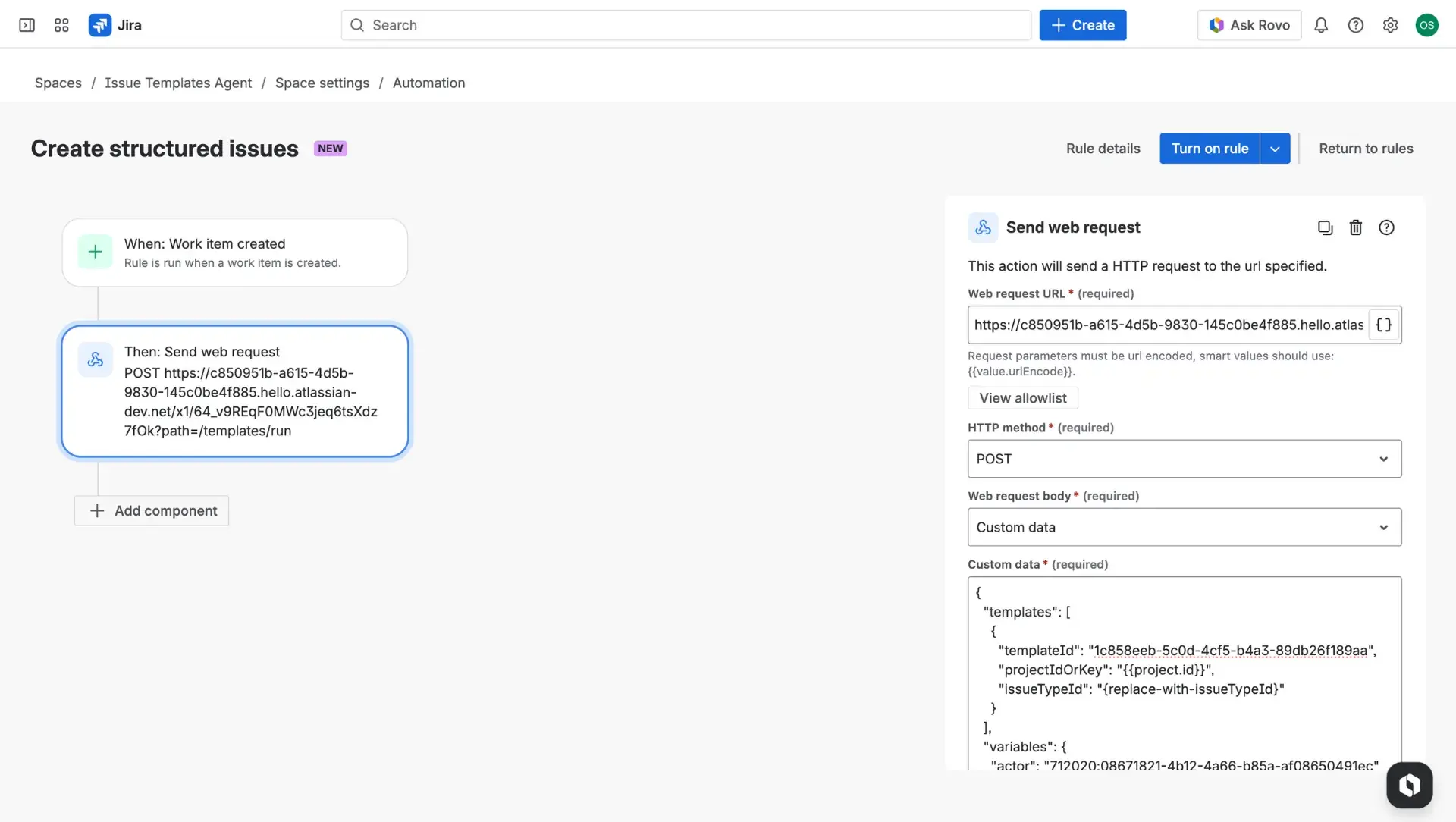
- Create a new automation rule and set the trigger to Issue/Work item created.
- Add an issue field condition: set Request type equals Onboarding.
- Add a Send web request action.
- Paste the REST API URL.
- Set the HTTP method to POST.
- Change the Webhook body to Custom data.
- Paste the data copied from the If you want to create a new issue section.
- Find the issueTypeId row and replace the placeholder values with the specific IDs for the chosen types.
- Save and turn on the rule to enable automated Jira issue creation for the full structure.