Uninstalling the integration
Removing the HubSpot Jira software cloud integration requires a few manual steps within both platforms to ensure a complete disconnection. Whether troubleshooting or offboarding, following this sequence ensures that data syncing stops correctly and the application is fully removed from the tech stack.
Uninstalling from HubSpot
First, the HubSpot-Jira integration needs to be removed from the HubSpot instance. To do so, follow these steps within HubSpot:
- Navigate to the Settings (cog icon) in the main navigation bar.
- In the left-hand sidebar, go to Integrations and select Connected apps.
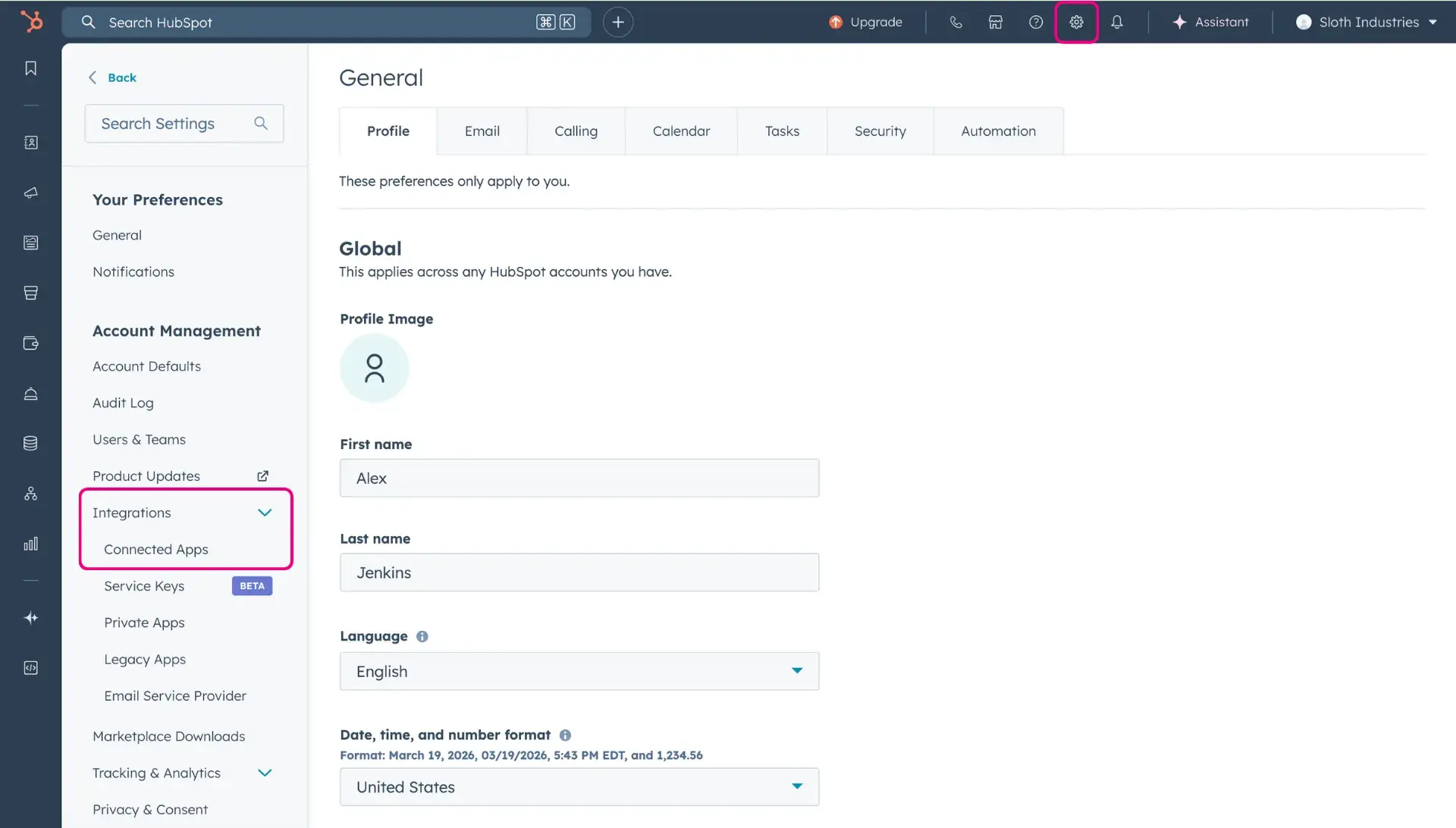
- Locate HubSpot CRM integration for Jira within the list of active applications.
- In the Actions dropdown menu located in the last column of the table, select Uninstall.
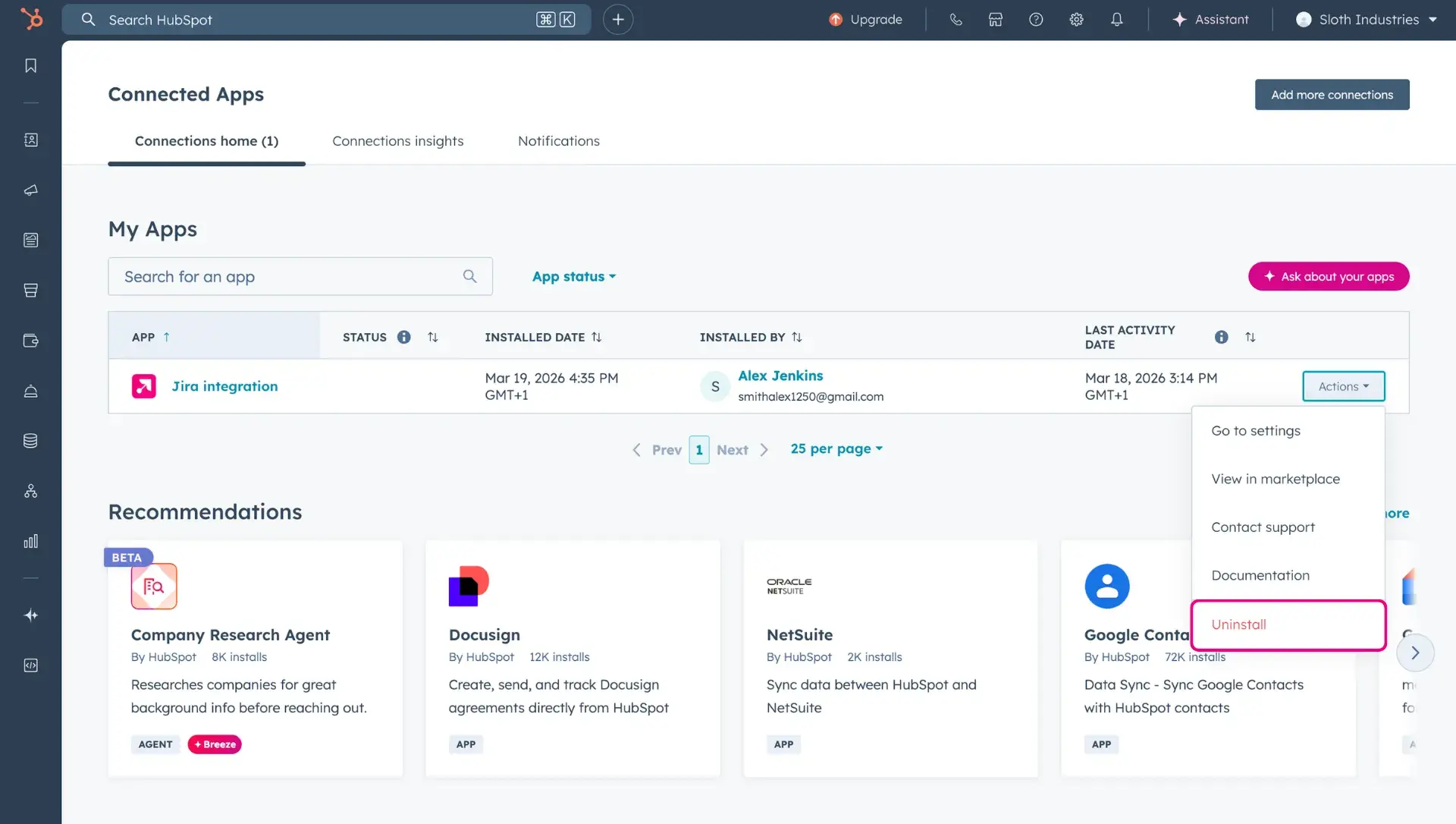
- Confirm the removal when prompted by the system.
Uninstalling from Jira
To complete the process, the app must also be removed from the Jira Cloud instance:
- In the top navigation bar, click on Apps and select the More options menu (three dots) to enter the Manage apps section.
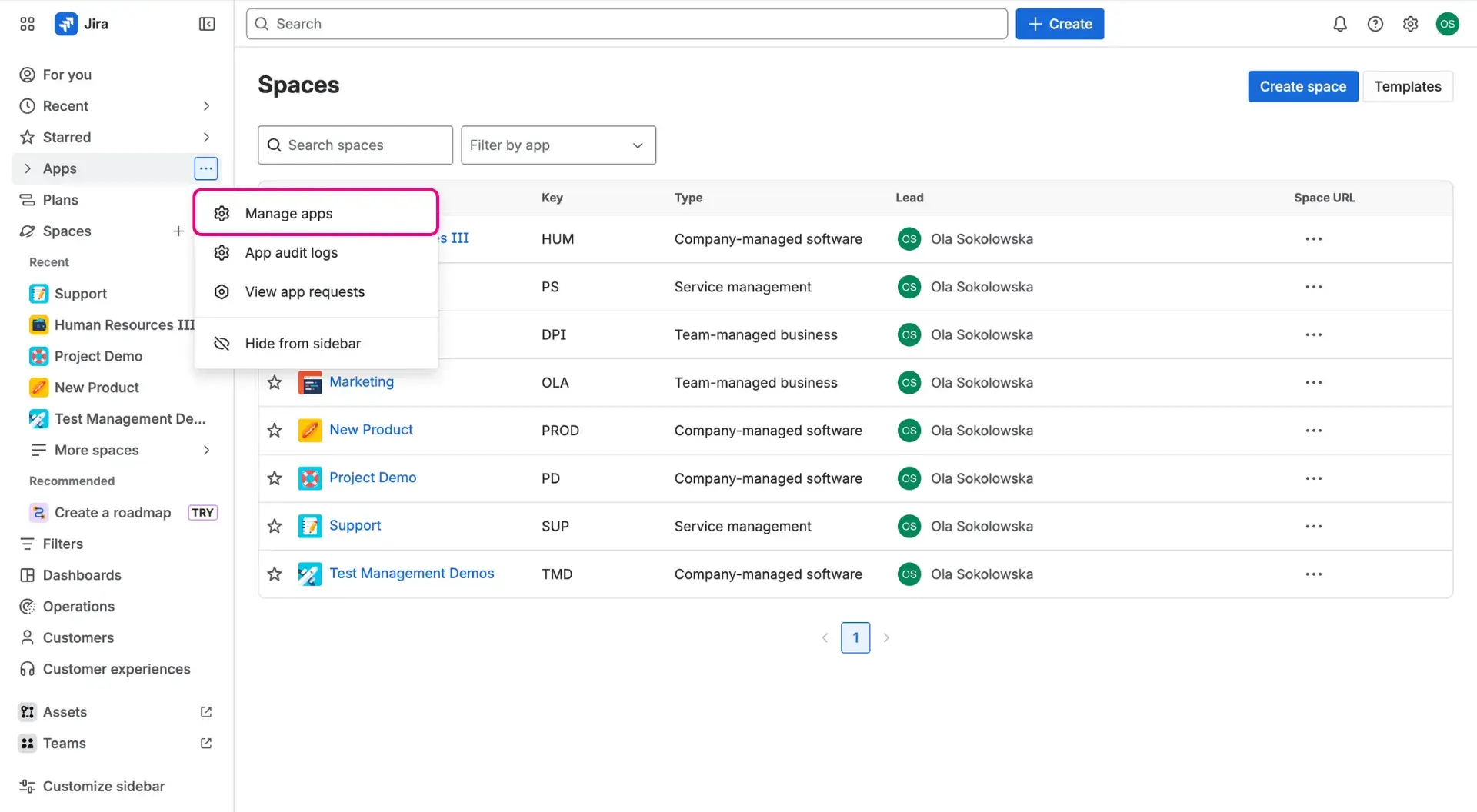
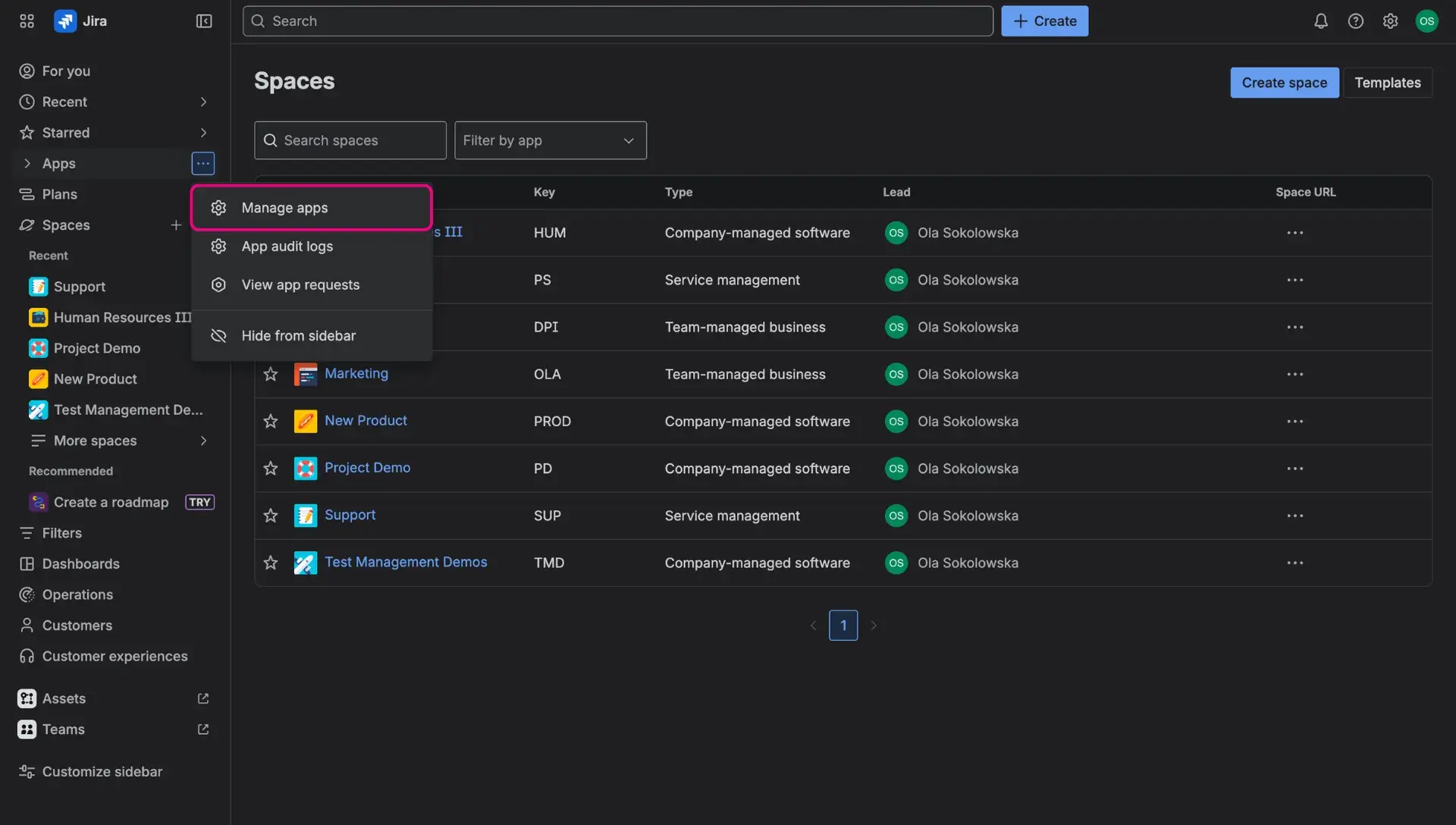
- Find HubSpot CRM integration for Jira in the list of installed apps.
- Click on View app details to open the management panel.
- Select the Uninstall button located in the top right corner.
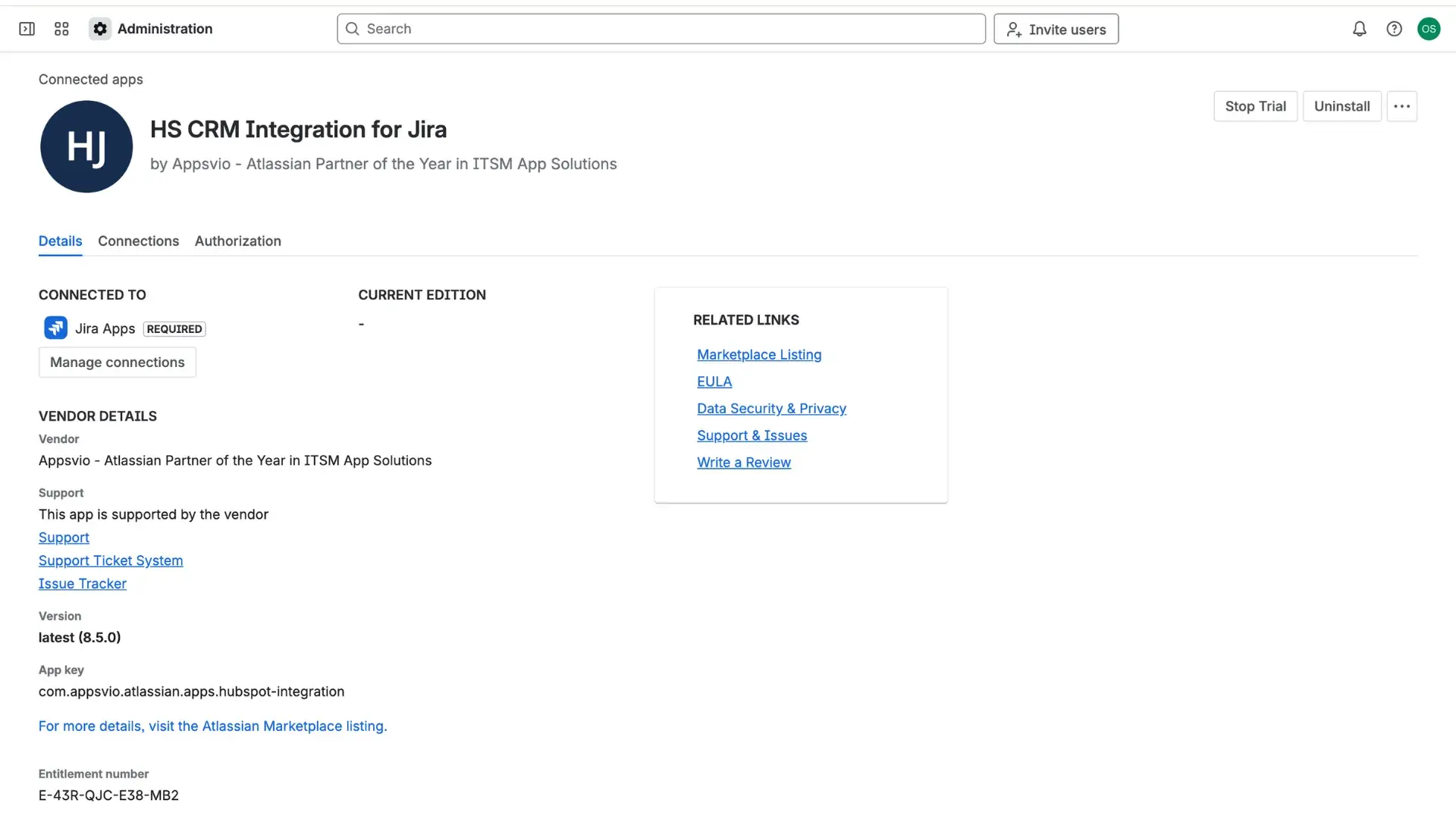

Wait for the confirmation message indicating the Jira HubSpot integration has been successfully removed.