Install Feature Bundle
You install Feature Bundle on your Jira Cloud site from the Atlassian Marketplace. Only site administrators can add apps to a site.
Before you start
- You are a site administrator of your Jira Cloud site.
- Your site has Jira Service Management.
Steps
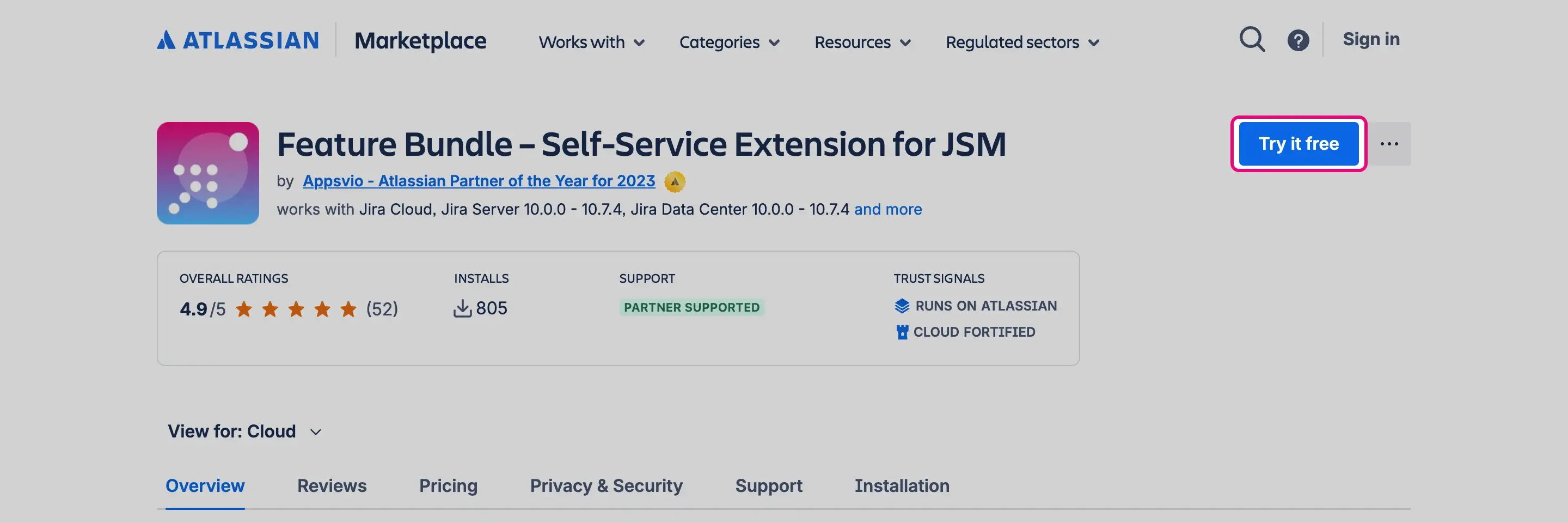
Open the Feature Bundle listing on the Atlassian Marketplace and select Try it free.
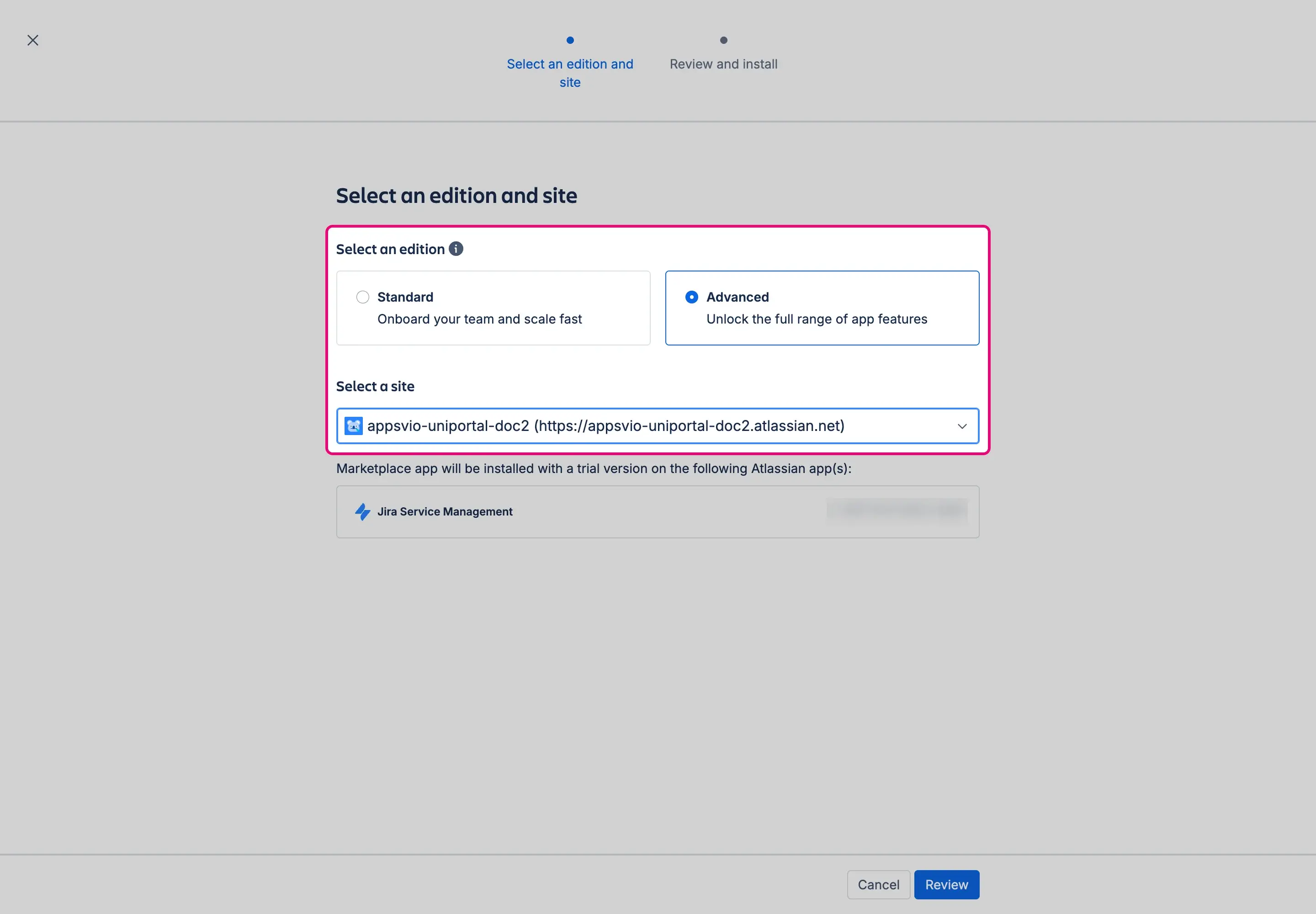
In Select an edition, choose Standard or Advanced. In Select a site, choose the Jira Cloud site where you want to use Feature Bundle. Then select Review.
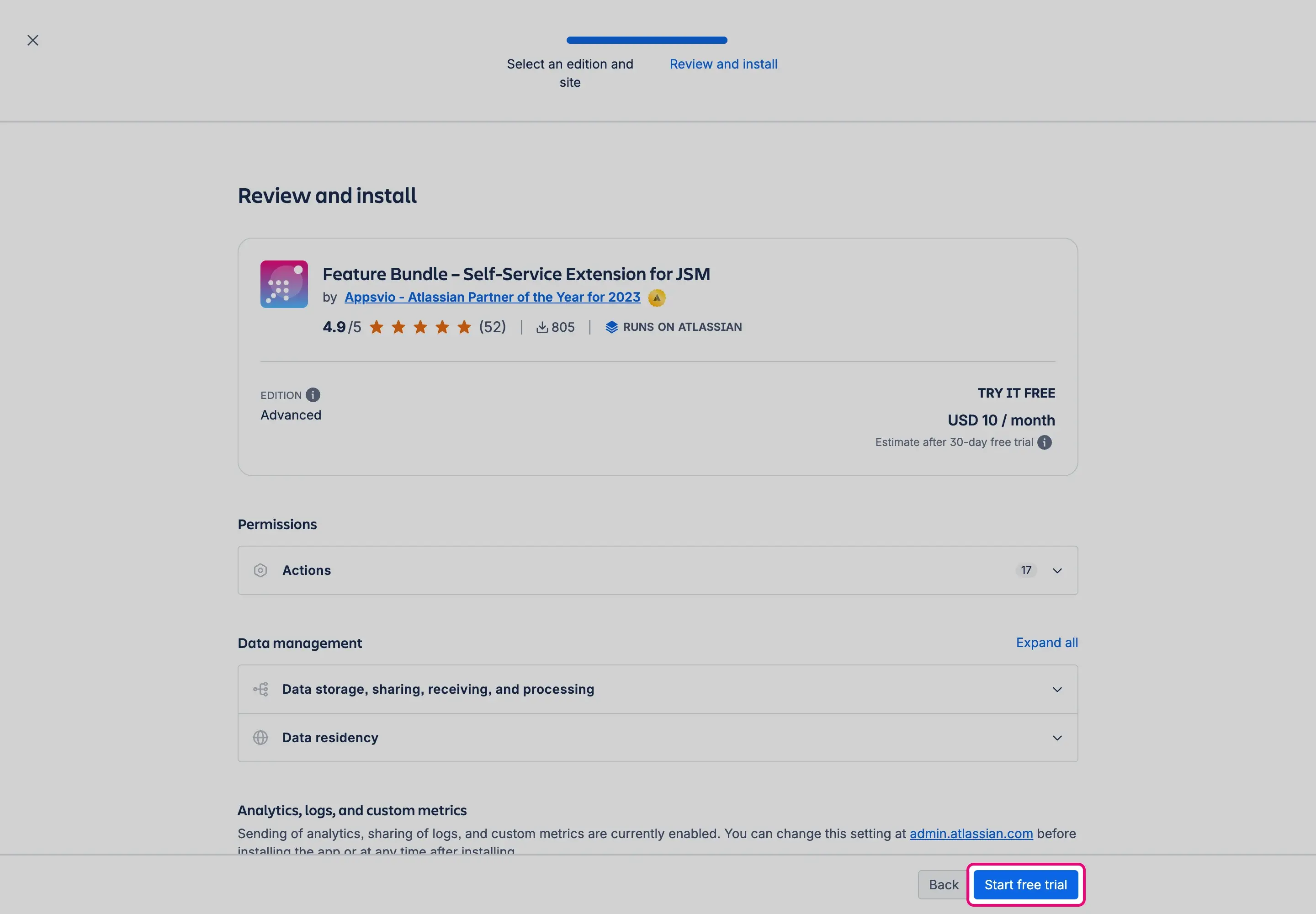
Check the edition and the permissions the app asks for, and select Start free trial. Jira opens the page of Feature Bundle while the app is installed.


You can start the trial of either edition and change the edition during or after the trial. See App Editions.
Government Cloud and Isolated Cloud
On Atlassian Government Cloud and Atlassian Isolated Cloud, you can’t install apps yourself. See Atlassian Government Cloud and Atlassian Isolated Cloud.
Result
Feature Bundle is installed on your site. To check it, select the cog icon, go to Apps, and look for Feature Bundle in the left menu.

Next steps
- Open the Get started page to go to the configuration of a feature. See Get started page.
- Check what the Standard and Advanced editions include. See App Editions.