Use the Get started page
The Get started page is the landing page of Feature Bundle in Jira administration. It links to the configuration of each of the four features. The page works without an active license.
Before you start
- You are a Jira administrator.
- Feature Bundle is installed. See Install Feature Bundle.
- To configure Customer Actions, Additional Fields, or Ticket Journey in a space, you are both an administrator of that space and a service desk agent in it. Without both, the configuration page doesn’t open for you.
- To configure Announcement Banners, you are a Jira administrator.
Steps
Select the cog icon, then go to Apps.
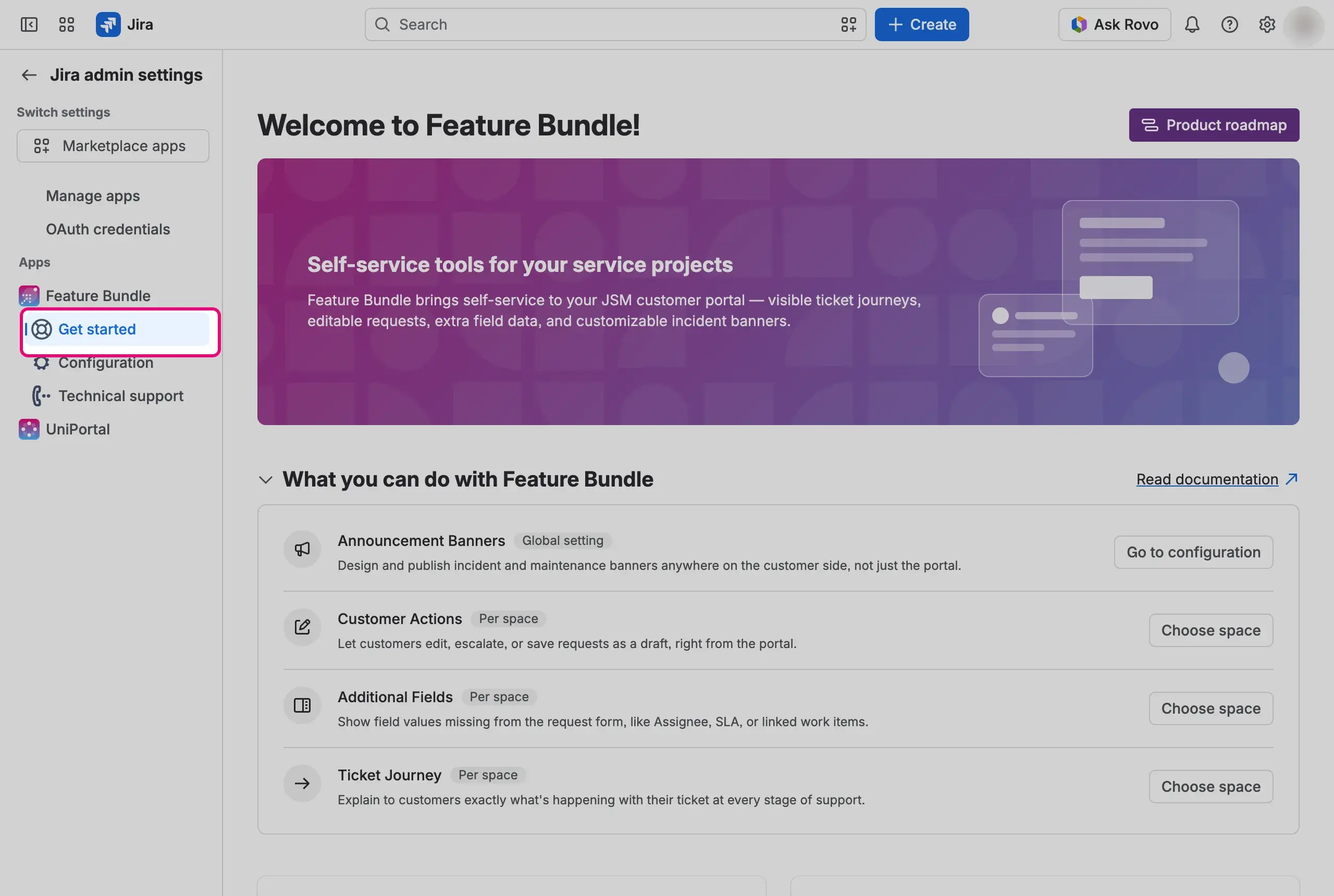
In the left menu, under Feature Bundle, select Get started. The Welcome to Feature Bundle! page opens.
In the section What you can do with Feature Bundle, find the feature you want to configure.
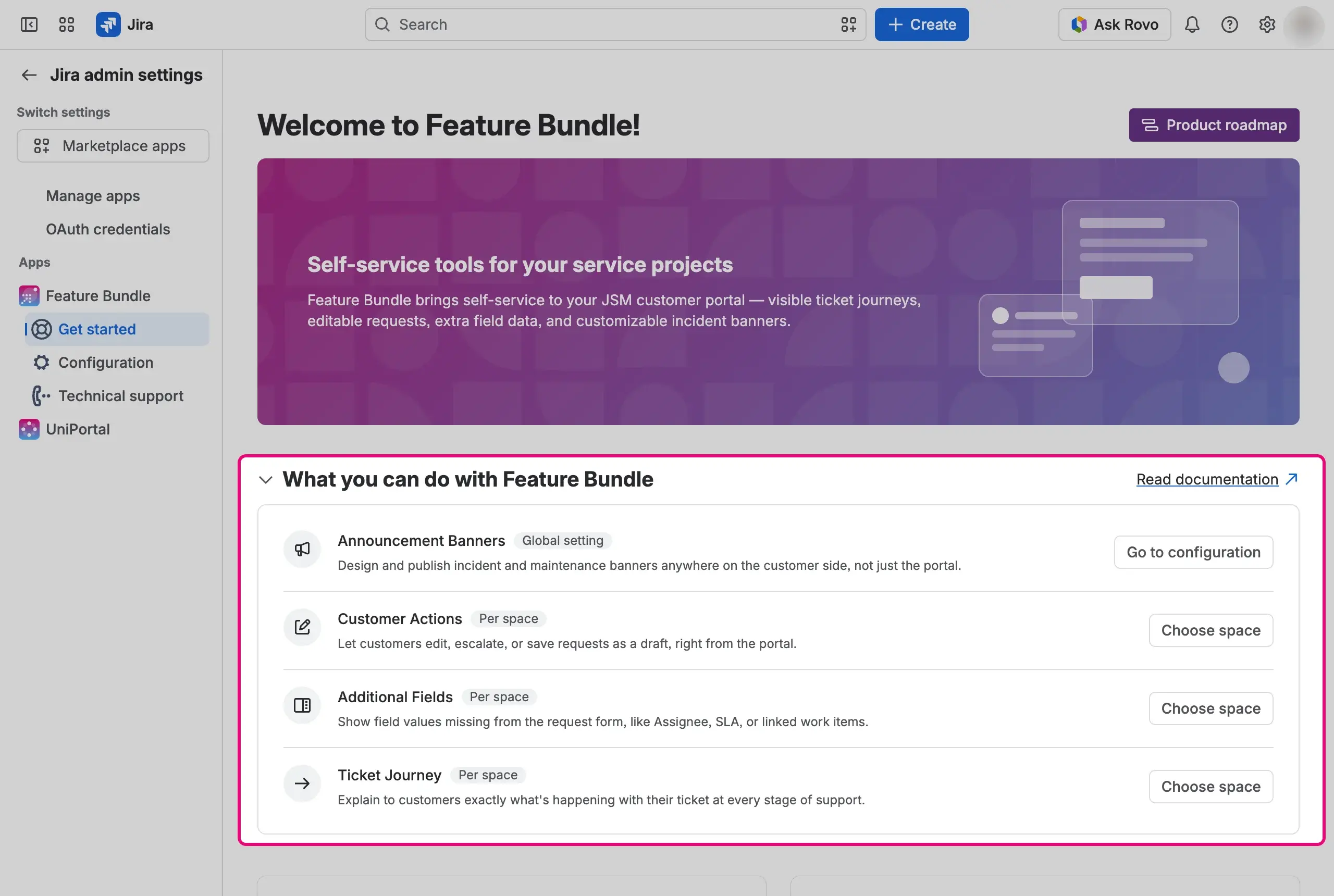
Open the feature.


- Select the link of Announcement Banners.
The Banners page opens. It is a global page, so it doesn’t depend on a space, and only Jira administrators can open it.
Select the link of the feature.
Choose a service space from the list. The list shows every service space you can see, including spaces you can’t configure.
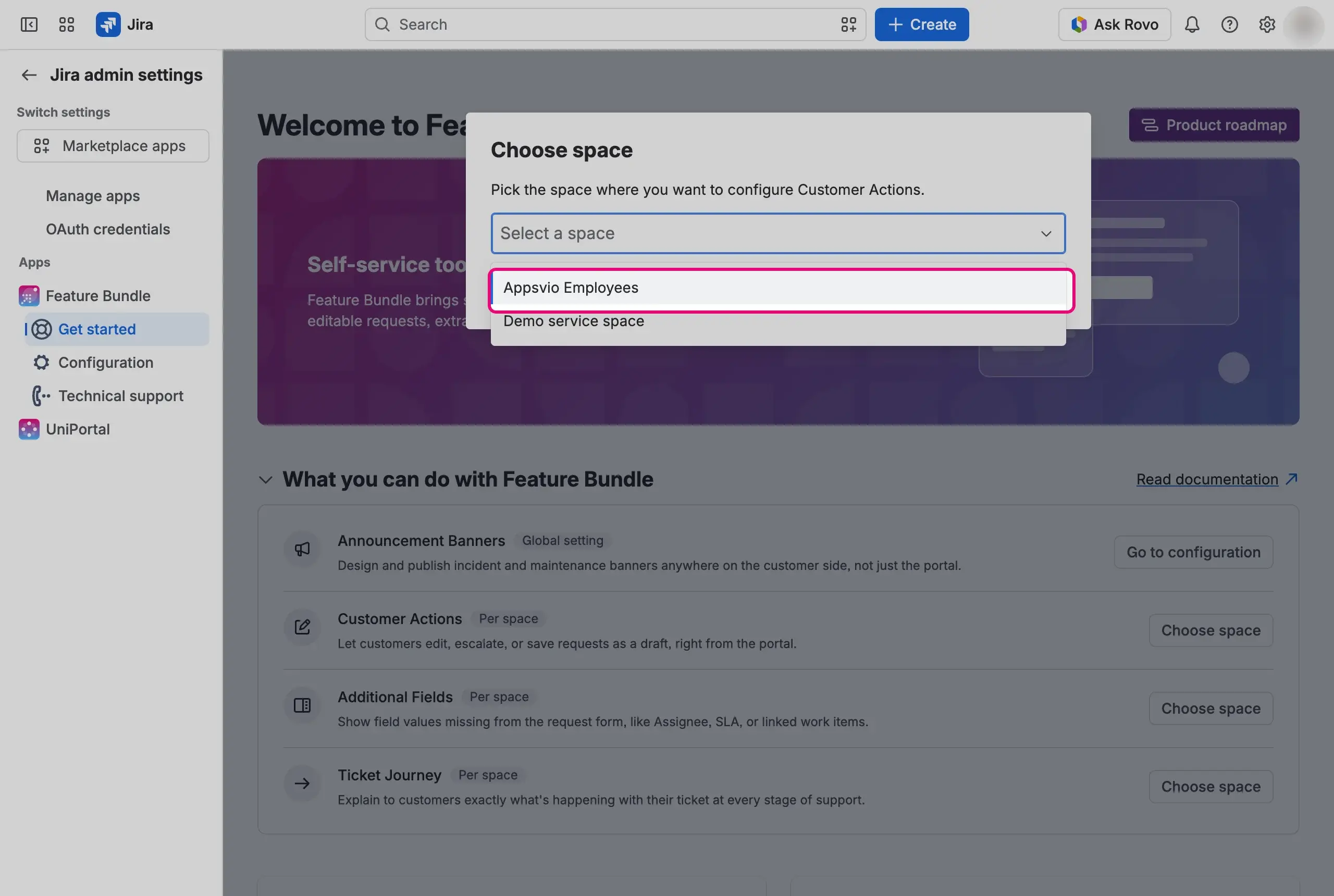

The configuration page of the feature opens in the settings of the chosen space.
Result
The configuration of the feature you chose is open: the Banners page for Announcement Banners, or the page of that feature in the settings of the space you chose.
The header of the Get started page also has the Product roadmap button, which opens the public roadmap.
Continue with the feature you opened:
- Announcement Banners: publish incident and maintenance banners to customers.
- Customer Actions: let customers change their requests from the portal.
- Additional Fields: show field values the request form leaves out.
- Ticket Journey: show customers the stage of their request.