Preconditions
Preconditions describe what must be true before a tester starts the first step of a test, for example the system state or the test data. They help every tester start from the same state.
In Appsvio Test Management (ATM), you keep preconditions in the ATM Preconditions field of a Test Case. It’s a custom field of the Paragraph (text) type, so it holds formatted text.
Set preconditions on a Test Case
Open the Test Case.
Click the ATM Preconditions field. Enter the preconditions.
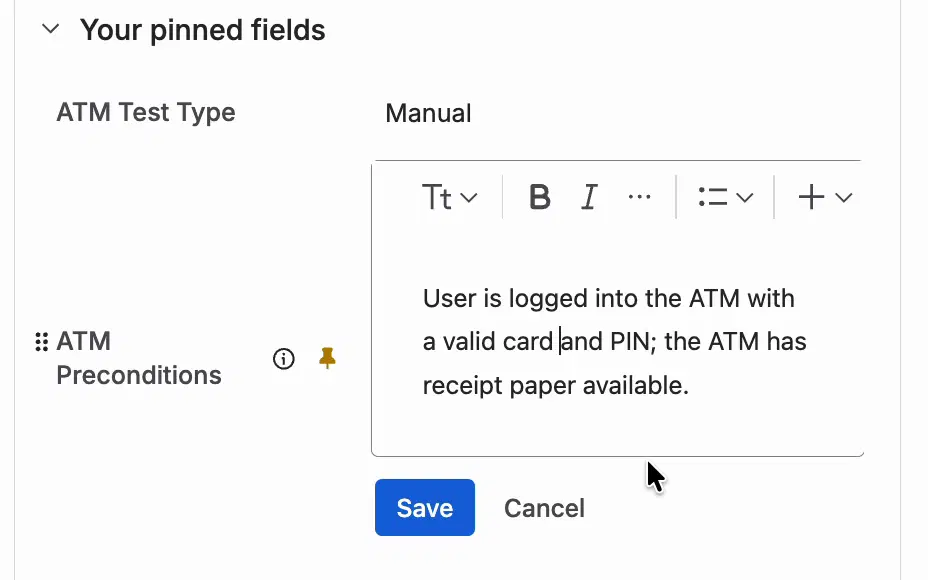
Click Save.


Set preconditions when you create a Test Case
You can fill in preconditions right away on the Create screen of a Test Case. This works when the ATM Preconditions field is added to the Jira screen of the Test Case work type. The empty field shows “Add preconditions to Test Case…”.

See Create Test Case.
Other ways to fill in the field
- In an import file, the Precondition column goes to the ATM Preconditions field. The import reads it as plain text. See Import.
- Test Cases created by the Rovo Agent have ATM Preconditions filled in. See Create Test Cases with Rovo Agent.
Preconditions during a test run
A Test Case Execution is a copy of the Test Case, preconditions included. In the execution window, the tester sees the Preconditions section above the tabs and the test steps.

If you change the preconditions of a Test Case later, existing Test Case Executions keep the old text. A new iteration of a Test Case Execution gets the current preconditions of the Test Case. See Retests.