Retests
To run a Test Case again in the same Test Execution, you create a new iteration of its Test Case Execution. The All iterations tab of the execution window shows every iteration.
Retest a Test Case with a new iteration
Open the Test Execution and go to the Test Case Executions tab.
In the row of the Test Case, open the … menu in the Actions column and click New iteration.
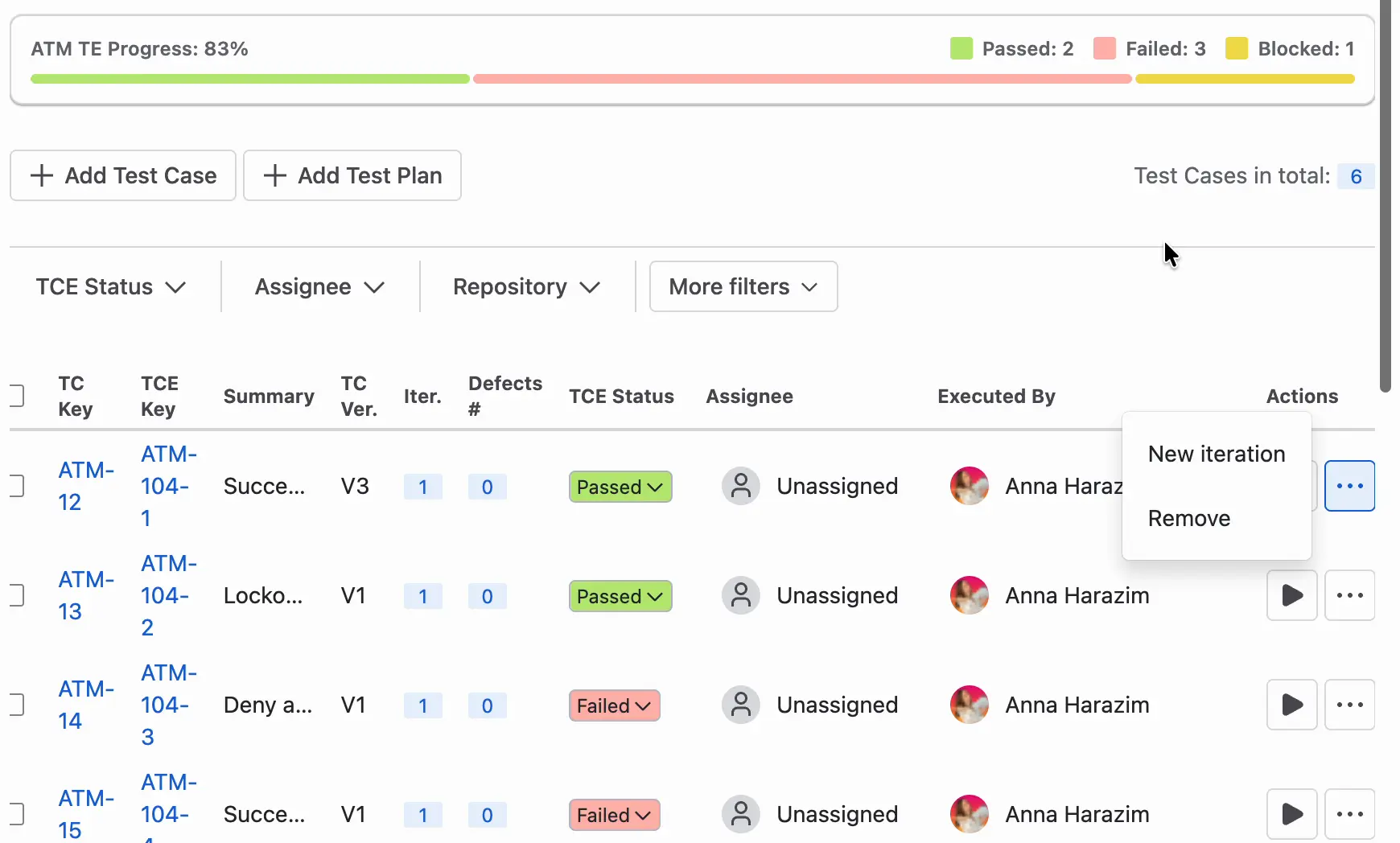

The Iter. column of the table shows the iteration. The new iteration takes the current preconditions of the Test Case, the steps of its version (if they changed), and their attachments. It also resets the progress, Actual Result, and Evidences. You run it in the execution window, as described in Test Steps Execution.
See earlier iterations
In the execution window, open the All iterations tab. It lists every iteration of the Test Case Execution with its number, Test Case version, defects, status, date, and person. You can open each iteration from the list.

How iterations count in progress
The ATM TE Progress bar counts only the latest iteration of each Test Case. For the full rule, see How progress is calculated.
Delete an iteration
- In the Test Case Executions tab, open the … menu in the row of the Test Case and click Remove.
- The Delete iteration window opens. To delete the whole Test Case Execution, select Remove all iterations and consequently the whole Test Case Execution.
- Confirm the deletion.

Without the option, ATM deletes only the iteration. With the option, it deletes the whole Test Case Execution with all its iterations.