
ISTQB Test Management Glossary: 25 Key Terms with Jira Examples
25 key ISTQB test management terms explained in plain language, from test basis and testware to risk-based testing, with examples of how each works in Jira.

When a tester says “test basis” and a developer hears “requirements doc”, or one team’s “test suite” is another team’s “test plan”, reviews and handoffs slow down. Testing works better when everyone uses the same terms for the same things, from logging bugs to signing off a release.
The official ISTQB Glossary (International Software Testing Qualifications Board) provides that common ground. It is the international reference for how professionals define, organize, and communicate about testing. Below are 25 key ISTQB test management terms, each with a plain-language definition and, where it applies, how it works in Jira with Appsvio Test Management. Terms 5-12 follow the order of the ISTQB test process: test planning, monitoring, control, analysis, design, implementation, execution, and completion.
1. What is Test Policy?
A test policy defines an organization’s overall philosophy toward quality and testing. It explains why testing matters, which standards must be upheld, and how testing supports business goals. A strong test policy aligns all projects under a shared quality vision, such as prioritizing defect prevention or treating automation as a strategic investment.
2. What is Test Strategy?
A test strategy describes how the test policy is implemented across the organization. It defines test levels (unit, integration, system, acceptance), methods (manual, automated), and guiding principles like risk management and coverage objectives. A consistent strategy ensures teams test in compatible ways.
3. What is Test Approach?
A test approach adapts the test strategy to a specific project. It reflects the project’s risks, tools, timelines, and system architecture—for example, emphasizing API testing in backend-heavy systems or exploratory testing for new user interfaces.
4. What is a Test Plan?
A test plan is the operational roadmap for testing. It defines what will be tested, how, when, by whom, and with which resources. Effective test plans include objectives, scope, deliverables, metrics, risks, and contingency plans. In Agile environments, test plans are often living documents that evolve with each sprint.
In Jira with ATM: A Test Plan is a Jira work item that holds the Test Cases for a release. Scope, schedule, and criteria go in its description or in your own Jira fields.
Watch how to create a Test Plan, run it, and track its progress in Jira (7 min):
Planning and tracking tests in Jira with Test Plans and Test Campaigns in ATM.
5. What is Test Planning?
Test planning is the activity of creating and refining the test plan. It includes defining success criteria, estimating effort, selecting test levels, and scheduling activities. Test planning is a collaborative process that aligns testing with business and release goals.
6. What is Test Monitoring?
Test monitoring tracks progress against the test plan using metrics such as execution rates, defect trends, and pass/fail ratios. Monitoring helps teams detect deviations early and respond before issues impact delivery.
In Jira with ATM: The Testing Project Dashboard shows Test Execution progress, Test Executions by environment, a daily trend of results, and workload by assignee, and every Test Plan has its own progress bar.
7. What is Test Control?
Test control involves taking corrective actions based on monitoring results. This may include adjusting scope, reallocating resources, or reprioritizing tests to keep testing aligned with project goals.
8. What is Test Analysis?
Test analysis determines what should be tested. Testers review requirements, designs, and risks to identify test conditions—specific behaviors or features that must be validated. Good analysis bridges business expectations and technical implementation.
9. What is Test Design?
Test design transforms test conditions into detailed test cases. Testers define preconditions, inputs, steps, and expected results, and apply techniques such as boundary value analysis or decision tables to maximize coverage.
In Jira with ATM: By default, each Test Case step has an Action, Data, and Expected Result, and preconditions have their own field. Test Case Architect, a Rovo agent, can propose test cases from a requirement.
10. What is Test Implementation?
Test implementation prepares test assets for execution. This includes creating test data, configuring environments, and developing automated scripts. The goal is to ensure test cases are executable, traceable, and ready for use.
11. What is Test Execution?
Test execution is the process of running test cases, recording outcomes, and logging defects when actual results differ from expectations. Execution requires discipline, observation, and clear communication to provide meaningful feedback.
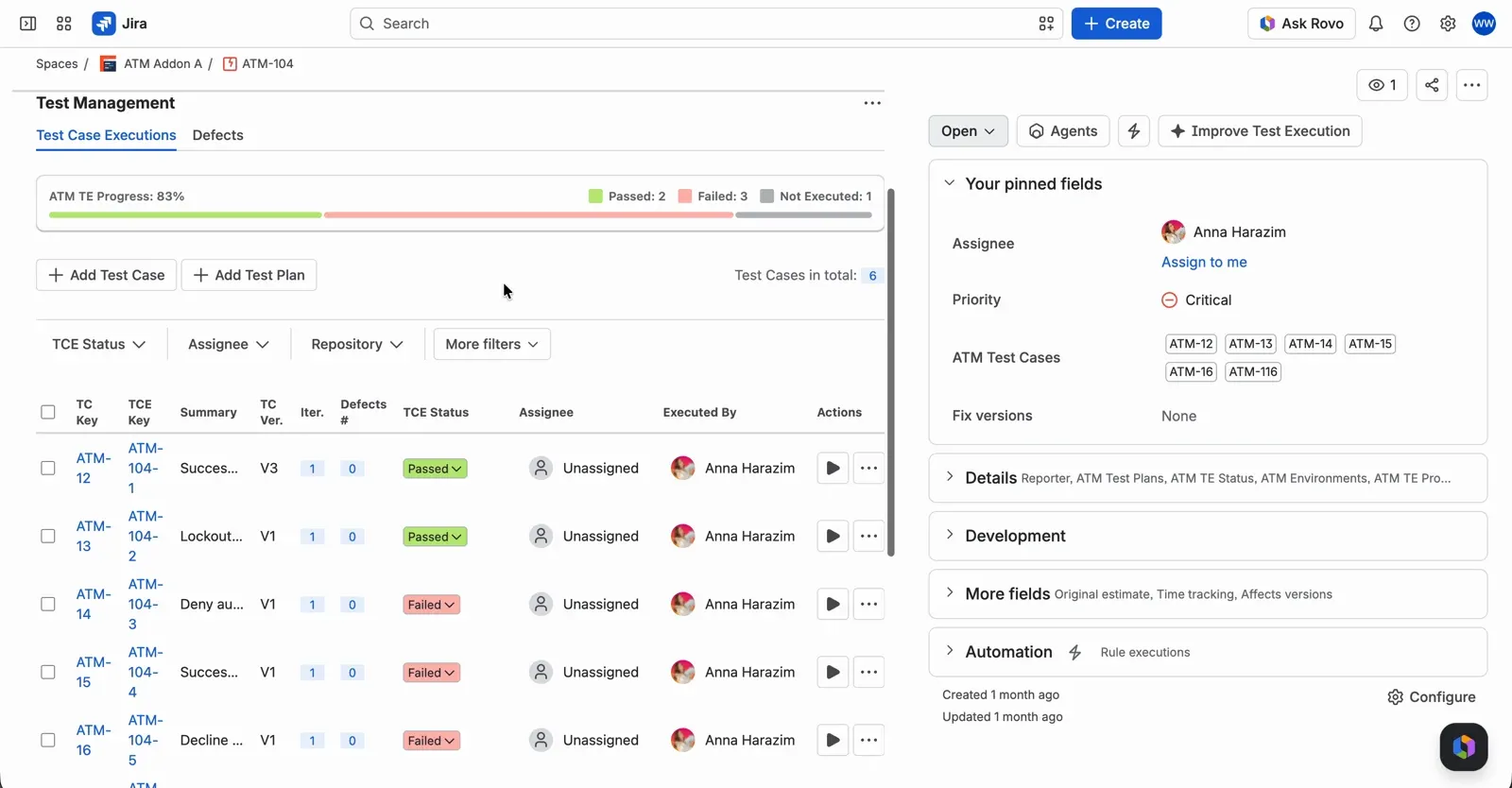
A Test Execution work item in Jira with the progress bar and the table of Test Case Executions.
In Jira with ATM: You run Test Cases in a Test Execution created from a Test Plan, typically one per environment. Results are recorded for each Test Case Execution, and defects can be linked to the execution, a Test Case Execution, or a single step.
12. What is Test Completion?
Test completion marks the formal end of testing activities. Teams evaluate results against exit criteria, summarize outcomes, archive testware, and capture lessons learned to improve future testing efforts.
In Jira with ATM: When testing ends, close the Test Executions and use the Traceability report, exported to PDF or CSV, as the summary. If you need a formal sign-off, add a status for it to your Test Plan workflow.
13. What is the Test Basis?
The test basis is the source of information used to derive tests. It may include requirements, user stories, architecture diagrams, risk assessments, and stakeholder input. A clear test basis reduces ambiguity and supports effective analysis. For example, for a login feature the test basis might be the user story, its acceptance criteria, and the security rules for passwords.
In Jira with ATM: The test basis is usually your requirements: any Jira work type you map as a requirement in the Testing Project, such as an Epic, Story, or Task.
14. What is a Test Condition?
A test condition is a testable aspect of the system, such as a function, workflow, or business rule. Test conditions help structure and prioritize testing activities. For example: “The account locks after five failed login attempts.”
15. What is a Test Case?
A test case specifies steps, data, and expected outcomes for verifying a single test condition. Well-written test cases are clear, reusable, and traceable, serving as both validation tools and documentation.
In Jira with ATM: A Test Case is a Jira work item with versioned steps, linked to the requirements it verifies.
16. What is a Test Procedure (or Script)?
A test procedure describes how to execute one or more test cases, including setup and cleanup steps. Automated test scripts are technical implementations of these procedures.
17. What is a Test Suite?
A test suite is a collection of related test cases grouped by purpose, feature, or release. Examples include regression, smoke, or acceptance test suites.
In Jira with ATM: Test Cases are grouped in folders in the Repository, for example a Regression folder, and a Test Plan groups the Test Cases you run together, for example for one release.
18. What is Testware?
Testware encompasses all testing artifacts, including plans, cases, scripts, data, environments, and reports. It represents the tangible output of testing activities. For example, the testware for a release might include the test plan, its test cases, a set of test accounts, and the final test report.
19. What is a Test Environment?
A test environment is the controlled setup where testing occurs. It includes hardware, software, configurations, and network settings that ideally mirror production to ensure reliable results.
In Jira with ATM: Environments are a shared list your Jira admin manages in the app’s Configuration. You tag Test Executions and defects with them, and can filter by environment with JQL and in reports.
Watch how to set up and use test environments in Jira (3 min):
Setting up test environments and tagging Test Executions with them in ATM.
20. What is Test Data?
Test data consists of input values used during testing. It may be real or synthetic and is designed to validate normal behavior, edge cases, and error conditions.
21. What are Entry Criteria?
Entry criteria define the conditions that must be met before testing can begin, such as environment readiness or completed requirements. They help prevent premature or ineffective testing.
22. What are Exit Criteria?
Exit criteria specify when testing can stop. Examples include achieving a target execution rate or resolving all critical defects. Exit criteria provide a clear definition of done for testing.
In Jira with ATM: Write entry and exit criteria in the Test Plan’s description or in your own Jira fields, so they stay visible next to the Test Cases they apply to.
23. What is Traceability?
Traceability links requirements, test cases, executions, and defects. It ensures that all business needs are validated and supports impact analysis, compliance, and audits.
In Jira with ATM: The Traceability report follows each requirement through its Test Cases and Test Case Executions to defects, and can be exported to PDF or CSV.
24. What is Test Coverage?
Test coverage measures how much of the test basis or system has been exercised by tests. High coverage increases confidence but does not guarantee defect-free software.
In Jira with ATM: The Coverage report shows which requirements have Test Cases and which don’t, along with execution results by status. Read more in What is a Test Coverage Report?
25. What is Risk-Based Testing?
Risk-based testing prioritizes tests based on the likelihood and impact of failures. It helps teams focus effort on the most critical areas of the system. A simple way to start: rate each feature from 1 to 3 for the likelihood of failure and for its impact, multiply the two, and test the highest scores first and most thoroughly. A payment flow used by every customer will score higher than a rarely used settings page.
In Jira with ATM: Narrow the requirements scope of a report with JQL, for example to Highest and High priority, to check that the riskiest requirements are covered first.
From Theory to Practice
Understanding ISTQB terminology is important, but applying it consistently is what improves testing maturity. Teams that share a common testing language collaborate more effectively, plan better, and communicate results more clearly.
Bringing It All Together with Appsvio Test Management for Jira
To apply these concepts in practice, QA teams need a centralized solution to manage test assets and execution. Appsvio Test Management (ATM) for Jira embeds ISTQB-aligned concepts, test plans, cases, executions, environments, and traceability, directly into Jira workflows.
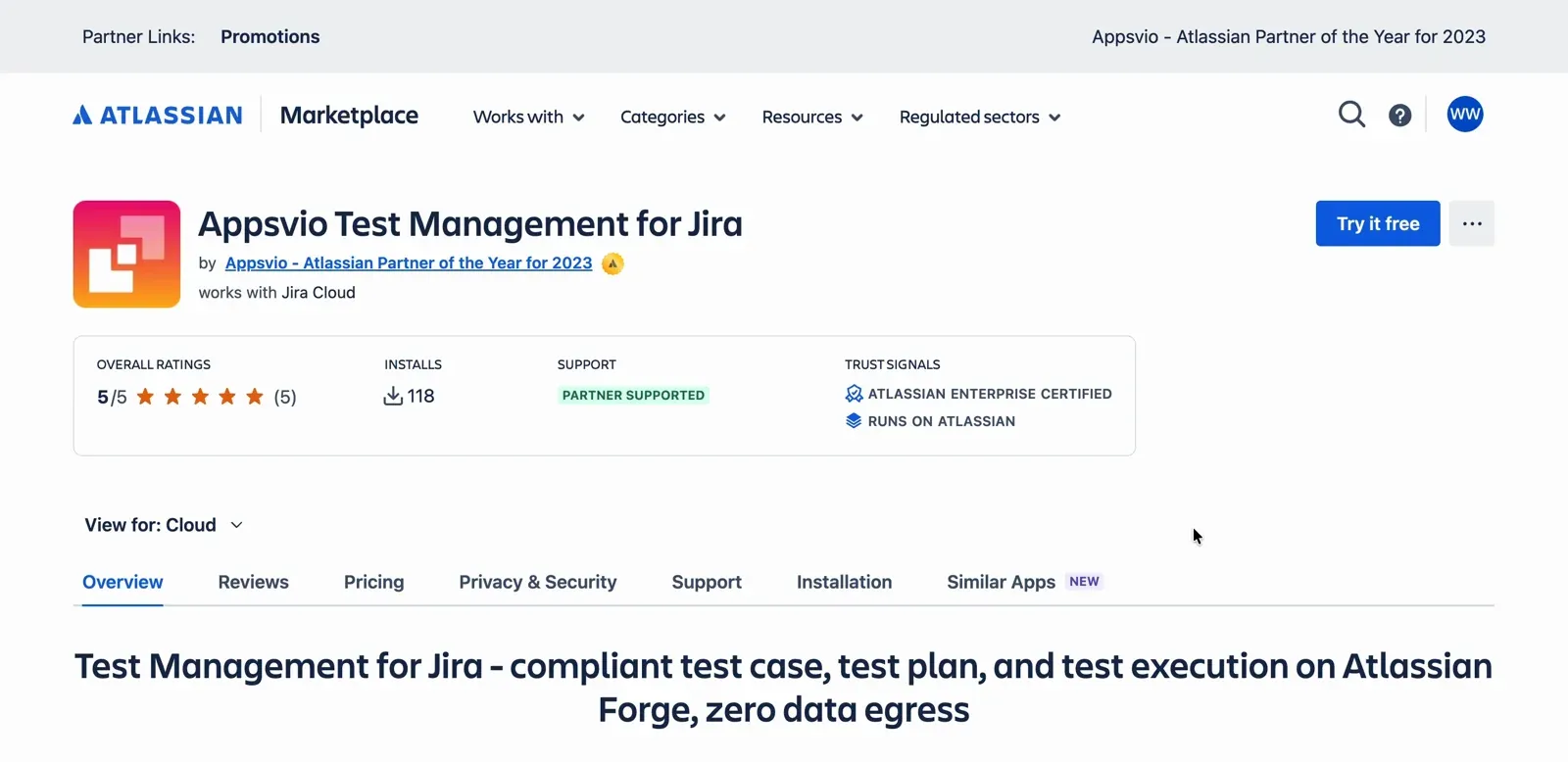
The Appsvio Test Management for Jira listing on the Atlassian Marketplace.
With ATM, teams can:
- Build and manage test cases linked to user stories
- Track coverage and execution progress in real time
- Maintain full traceability between requirements, tests, and defects
- Export the Traceability report to PDF or CSV for reviews and audits
Put these terms into practice
Plan, run, and trace your tests in Jira with Appsvio Test Management.
Try it freeRelated posts

Dariusz Jaroń
•Oct 2, 2026

Dariusz Jaroń
•Sep 23, 2026