
How to Show Salesforce Cases in Your JSM Help Center
Learn how to securely display Salesforce cases inside your JSM Customer Portal using UniPortal - creating a single pane of glass for your customers without custom code or extra CRM licenses.


When your account managers work in Salesforce but support engineers resolve issues in Jira Service Management (JSM), customers get caught in the middle. They are forced to jump between different portals and track separate URLs just to check their business contracts and technical tickets. This disconnected ecosystem wastes support time on manual status updates and floods your teams with redundant follow-up emails. Using UniPortal, you can securely display Salesforce cases directly within your JSM customer portal, creating a single pane of glass for every customer interaction without writing custom code.
Meet UniPortal
UniPortal upgrades the standard customer portal table by unlocking cross-platform integration and custom columns. Whether your team tracks bug reports or custom CRM records, UniPortal gives your customers direct, read-only visibility into their active Salesforce cases without leaving Jira.
- This Use Case: No-code integration of Salesforce cases inside your Jira help desk.
- Key Benefit: Eliminating context switching and reducing the account management bottleneck.
See other ways to use the app:
- How to Build a Branded Jira Help Center with Live Announcements
- How to Display Custom Columns (SLAs & Assets) in Jira Customer Portal
Key Takeaways
- The CRM-Support Bridge: Connect Salesforce and Jira Service Management natively to display CRM cases alongside JSM tickets in a single, unified view.
- Smart Email Matching: Filter Salesforce records by the logged-in user’s email address to ensure customers view only cases they have access to.
- No-Code API Integration: Skip expensive custom software development; authorize connections via secure OAuth credentials and map tables through an intuitive control panel.
- Read-Only Integrity: Protect your CRM data with a secure presentation layer that allows customers to view active statuses without modifying backend records.
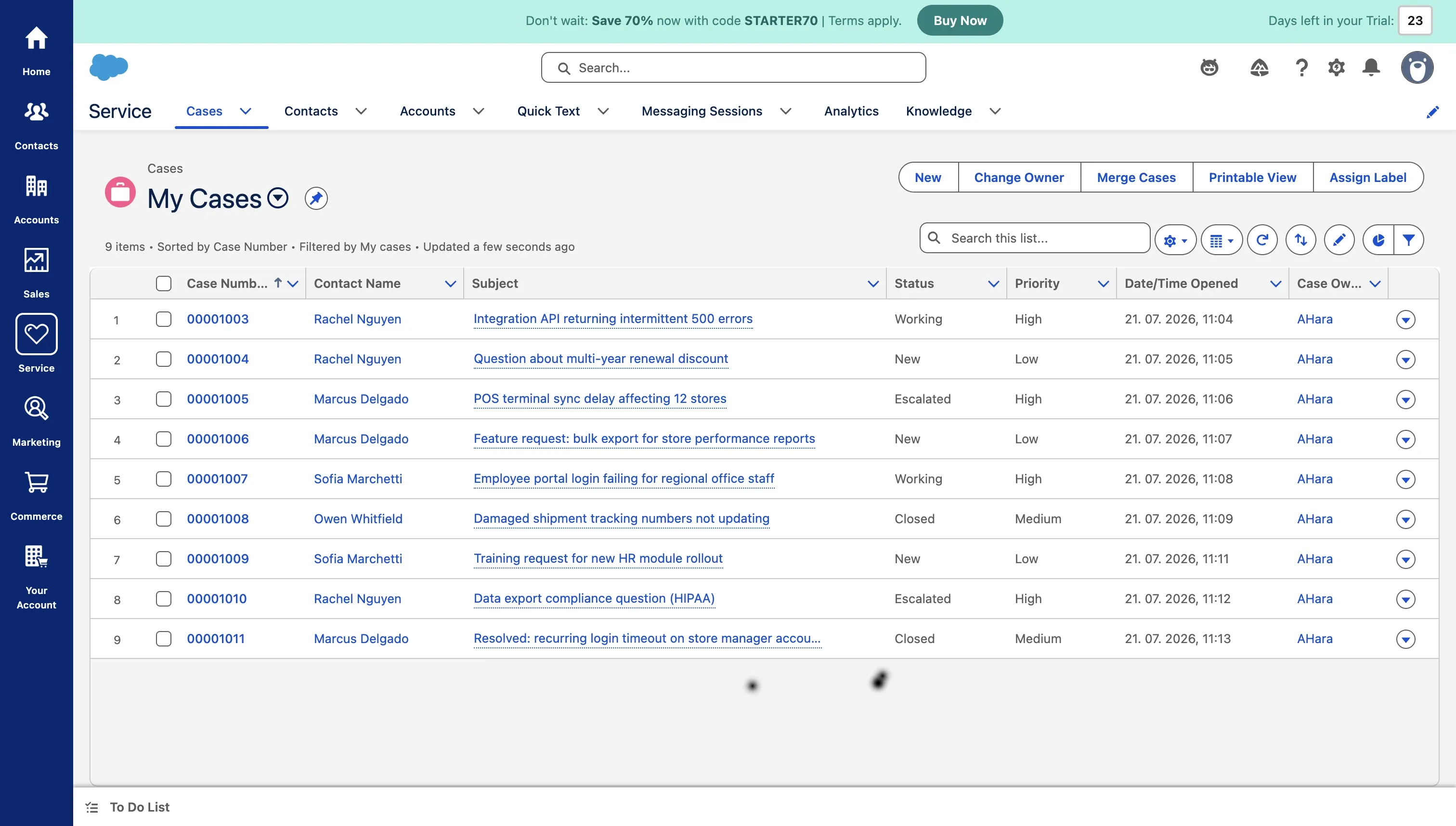
My cases view in Salesforce.
Why Segmented Portals Damage the B2B Customer Journey
Standard configurations of the Jira customer portal do not natively interact with external CRM systems. This is not a niche complaint: according to Zendesk’s CX research, 54% of organizations identify fragmented data silos as their primary barrier to using customer data effectively, while 74% of support agents believe that access to more connected tools and data would help them deliver more personalized, effective service.
For B2B service organizations, this lack of native integration leads to three distinct pain points:
1. The Account Management Bottleneck
When B2B clients have critical sales escalations logged in Salesforce and technical bugs tracked in Jira, they lack a unified dashboard. To find out what is happening, they default to emailing or calling their dedicated B2B Account Managers. Sales and account teams end up spending hours acting as middle-men: manually checking Jira statuses just to copy-paste updates back to the client.
2. Fragmented Customer Experience (CX)
Forcing users to switch contexts between a CRM portal and an IT help desk causes immediate tool fatigue. Customers do not care which internal department handles which ticket; they simply want a single, trustworthy starting point to check the status of their requests.
This mirrors a broader enterprise trend: according to Salesforce’s Customer Expectations Research, 79% of customers expect consistent, connected interactions across teams, stating that fragmented portals actively degrade their experience. A disconnected JSM portal is one of the most visible, customer-facing symptoms of that underlying data silo.
The same research adds a second data point worth citing: 55% of customers say it feels like they’re dealing with separate departments rather than one company: precisely the impression a disconnected Salesforce/JSM setup reinforces.
3. Conflicting Updates Across Systems
When Salesforce cases and Jira tickets operate in isolation, customers receive conflicting information. An account manager might mark a case as resolved in Salesforce while engineers are still working on the Jira issue. This misalignment hurts credibility, especially during critical renewals or service escalations.
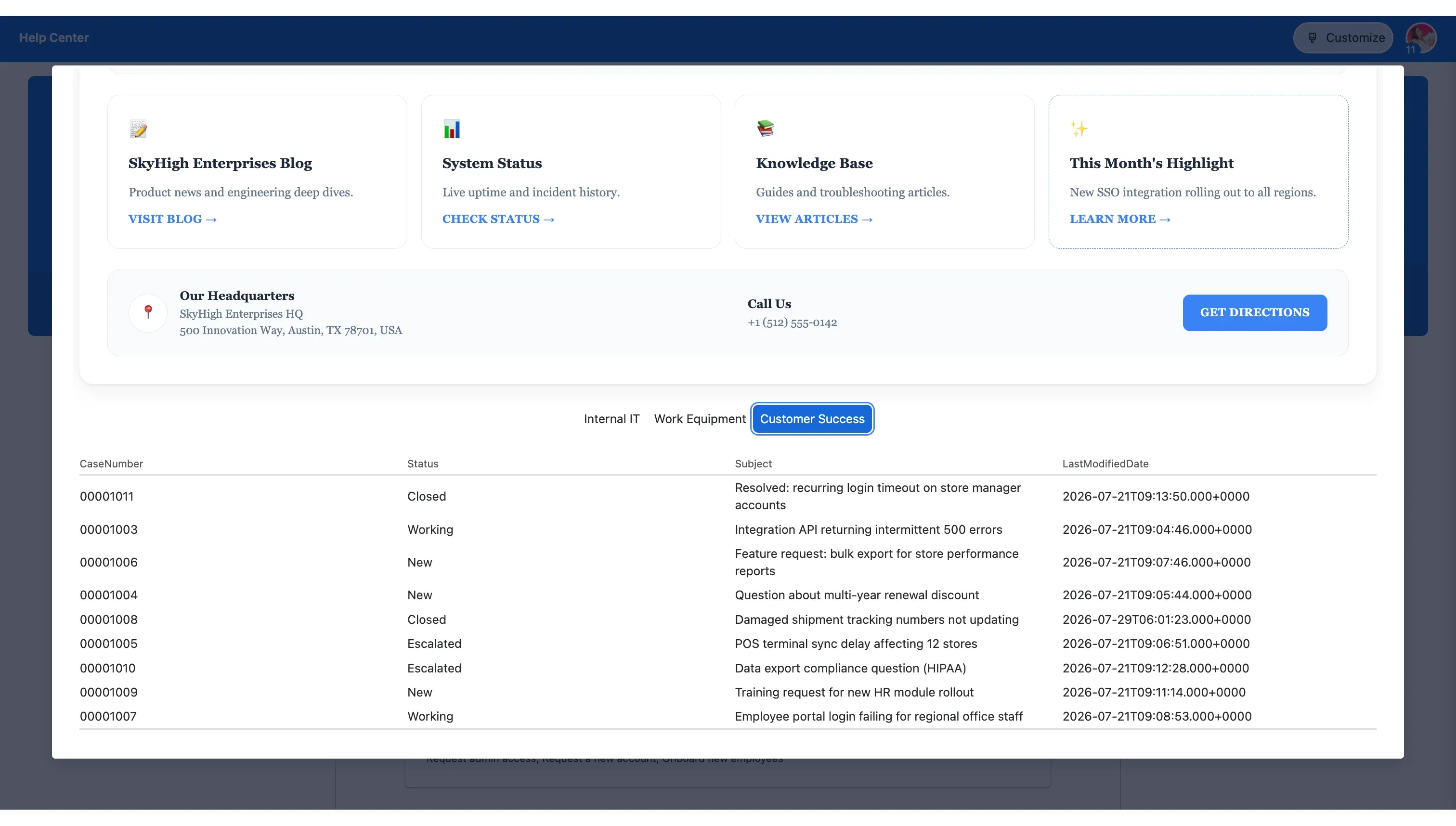
Integrating Salesforce tasks with UniPortal.
Connecting Sales and Support with UniPortal: The Secure, No-Code Alternative
When trying to connect Jira and Salesforce, IT leaders often face a distinct technical challenge. Traditional integration approaches force administrators to deploy complex third-party middleware or build expensive custom software integrations from scratch. This introduces compliance headaches, data residency concerns, and a fragmented user experience.
You may already be using Atlassian’s native Salesforce Service Cloud integration to forward Salesforce cases into Jira as new tickets. That’s a solid way to escalate work into your engineering queue, but it solves a different problem. Once the ticket exists in Jira, your customer still has no visibility into it from the Salesforce side, and your account manager still has to check Jira manually to relay updates. UniPortal addresses the other half of that gap: it shows the live Salesforce case status directly inside the portal your customers already use.
This technical bottleneck is why we developed UniPortal. Built natively on Atlassian’s Forge platform, it acts as a lightweight presentation layer embedded directly into your JSM portal, eliminating the need to take users away from your secure ecosystem or build heavy, dual-sync integrations.
Rather than trying to merge entirely different database schemas into a single, slow-loading request table (which would severely damage portal performance), UniPortal introduces a structured, multi-tab layout. This ensures that your native Jira tickets and external Salesforce cases are organized into clean, dedicated views that load asynchronously, keeping your portal speed fast.
How UniPortal Changes Your JSM Interface Into a Unified Customer Hub
- Display Any Salesforce Object: You are not limited to standard support tickets. UniPortal allows you to connect to Salesforce and select any specific database object: whether that is standard Cases, commercial Contracts, or custom tables like Bookings.
- Zero-Code Column Mapping: Administrators select which Salesforce fields to display as portal columns (such as Case ID, Subject, Status, Priority, or Owner). UniPortal supports all standard and custom Salesforce field types, allowing you to map data directly in a visual editor without writing custom code.
- Read-Only Presentation Layer: To maintain data integrity, UniPortal only pulls information from Salesforce. Customers cannot edit, close, or delete CRM records from the Jira portal. If they have the necessary credentials to modify a case, clicking the record ID redirects them straight to the native Salesforce environment.
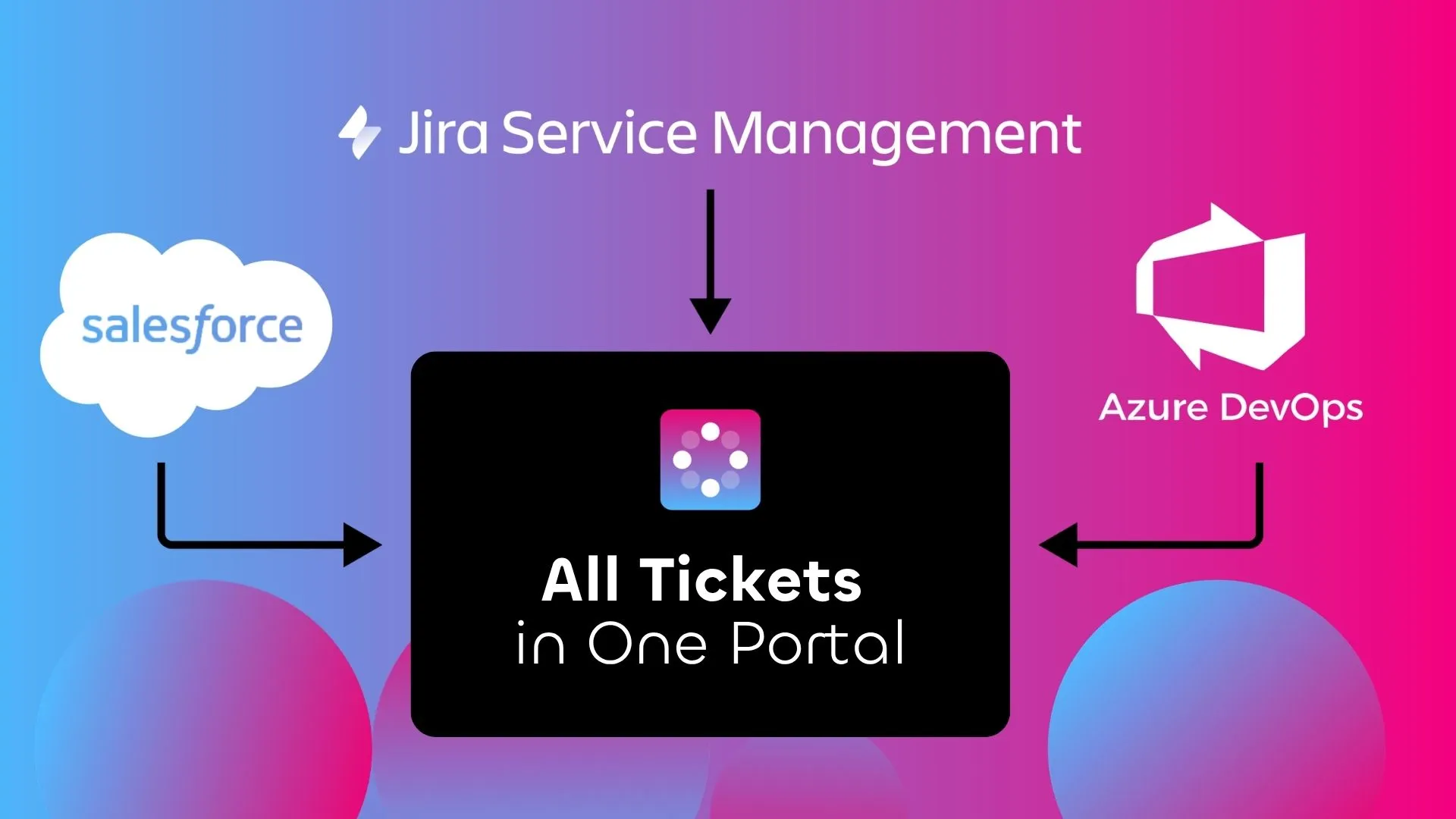
Display all your tickets in one portal.
Under the Hood: Resolving the Salesforce Privacy Dilemma
Enterprise security officers are rightfully cautious about exposing CRM databases to public-facing portals. The primary challenge is data isolation: How do you ensure that a logged-in user from Company A never sees the sales or support cases belonging to Company B?
Jira uses JQL to query issues, while Salesforce relies on SOQL. Because these query languages cannot dynamically filter records across platforms based on the logged-in portal user’s Jira ID, a secure mapping mechanism is required.
UniPortal solves this security challenge natively on Atlassian’s secure Forge platform using Smart Email Matching:
- Secure OAuth Handshake: The initial connection is established locally using a secure Client ID, Client Secret, and your specific Salesforce Instance URL. No data is stored on third-party servers; all API communication runs directly through Atlassian’s secure infrastructure.
- Dynamic Filtering Field: During setup, the administrator designates a specific target field within the Salesforce object that contains the customer’s email address (such as Contact.Email or Owner.Email).
- Automatic Privacy Enforcement: When a user logs into the JSM portal, Atlassian Forge automatically matches their active Jira session email against the designated Salesforce field. UniPortal then dynamically filters the table on the backend, ensuring the user only sees authorized, matched records.
If no match is found, the data remains completely inaccessible, guaranteeing bulletproof enterprise security.
Improving CSAT and Operational Efficiency
Bridging your CRM and support desk directly impacts your core support analytics and organizational efficiency:
- Boosted Customer Satisfaction (CSAT): Providing a “single pane of glass” where clients can track all active contracts, service cases, and technical tickets reduces friction and improves the digital customer journey.
- Fewer “What’s the Status” Requests: Giving customers direct visibility into their active Salesforce cases eliminates the need for them to repeatedly ping their account representatives.
- Massive Cost Savings: Purchasing full Salesforce licenses for hundreds of employees or clients just so they can check case updates is an unnecessary drain on your budget. Replacing those high per-user CRM fees with a cost-effective UniPortal license can securely expose live Salesforce status columns directly inside JSM at a fraction of the cost.
Summary: A Smarter Way to Manage Customer Requests
In conclusion, UniPortal functions as an essential, no-code upgrade for any single-instance or multi-instance environment looking to break down native JSM layout limits and build a transparent, unified help desk. By pulling critical data from Salesforce alongside your Jira Service Management tickets into a single, secured view, you eliminate the visibility gaps that trigger customer anxiety and overflow your support queues.
Stop acting as middlemen between Salesforce and Jira
Try UniPortal to eliminate manual status updates, free up your account managers, and give your clients a true single pane of glass.
Go to Atlassian MarketplaceFAQs
Related posts
Katarzyna Pawlak
•Sep 24, 2026
Dariusz Jaroń
•Aug 12, 2026

Dariusz Jaroń
•Jul 22, 2026