
Better Together: 4 App Duos to Bridge the Gap in Jira and JSM
Unlock seamless Jira and JSM workflows with 4 strategic app pairings from Appsvio and DevSamurai. Learn how to bridge gaps in project management and ITSM.


The Atlassian ecosystem is incredibly powerful, but even with the best tools, teams often encounter friction. The most common bottlenecks include the gap between high-level planning and daily execution, the disconnect between asset management and customer support, and the time lost to manual Jira setups.
At Appsvio and DevSamurai, we believe that the best solutions come from collaboration. We’ve partnered up to show you how combining the right apps can eliminate these bottlenecks, creating flawless, end-to-end workflows.
Here are four strategic app pairings designed to help your teams build better, plan faster, and resolve issues smarter.
Mastering Agile Planning & Project Management
1. The Strategic Duo: From Discovery to Backlog
Bridging the gap between high-level discovery and daily execution.
Story Maps are fantastic for visualizing the big picture, planning releases, and mapping out the entire user journey. However, friction occurs the moment developers click into those beautifully mapped cards. Without standard criteria, execution stalls immediately.
To solve this, we are pairing ProductGo with Issue Templates Agent. Together, they deliver the ultimate workflow control:
- ProductGo builds your dynamic, visual Story Map so you can easily slice your work by outcomes and releases.
- Issue Templates Agent steps in to ensure every single card on that map is instantly standardized with built-in Acceptance Criteria and a clear Definition of Ready.
This combination gives you high-level clarity while ensuring every single Jira ticket is 100% execution-ready for your development team.
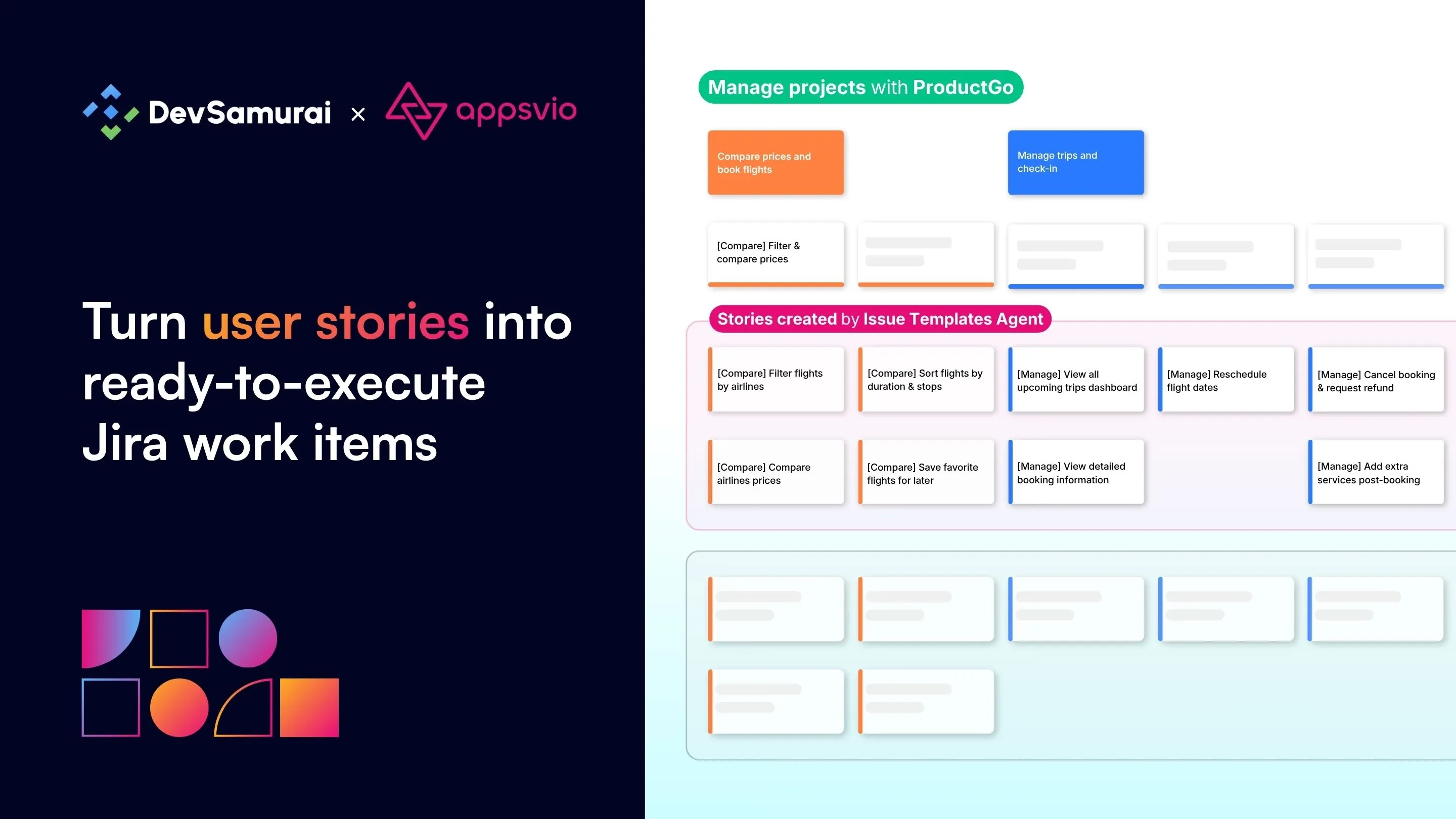
From user stories to standardized Jira tasks
2. The Planning Duo: High-Speed Project Kick-offs
Go from an empty backlog to a fully structured, schedulable plan in under a minute.
Starting a new project phase is exciting… until you realize you have to manually create over 50 Jira issues just to get the ball rolling. It is a tedious, time-consuming process where copy-pasting makes it incredibly easy to miss critical sub-tasks or cross-functional dependencies.
You can completely transform how you kick off projects. Pairing Issue Templates Agent with TeamBoard ProScheduler, you transition from zero to a full project schedule in minutes.
Here is how this high-speed duo works in practice:
- Using Issue Templates Agent, you create a work item template that captures your entire hierarchy (e.g., Epic > Story > Sub-task).
- Then, when creating a new work item, you simply choose this template from the Template field.
- Issue Templates Agent fires up a comprehensive “Project Blueprint”. This full hierarchy is generated in just one click, ensuring every work item follows the same standard with the right fields and zero manual data entry.
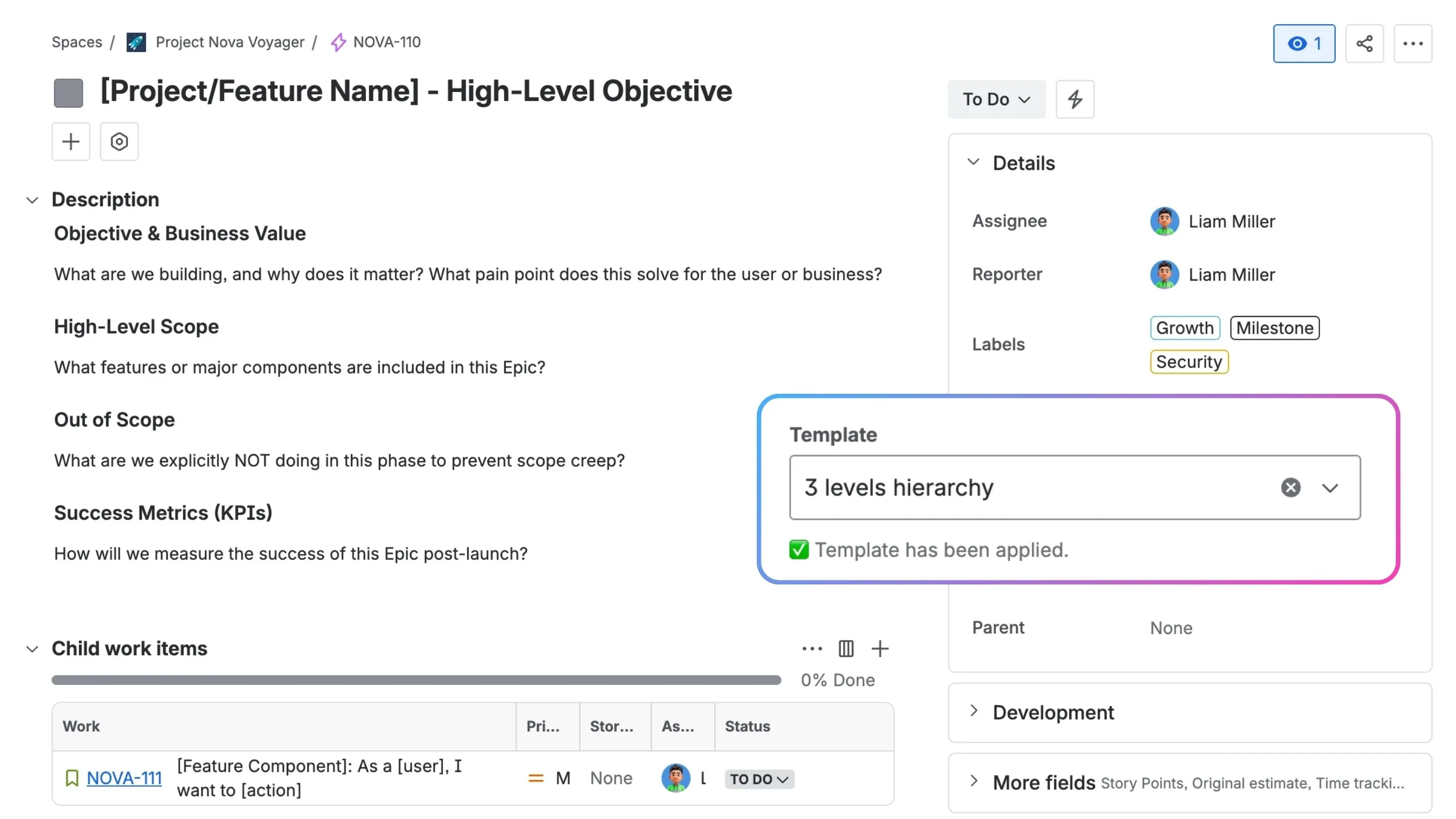
Selecting a multi-level hierarchy template during issue creation
- From there, TeamBoard ProScheduler immediately picks up that structure on a visual Gantt chart and Schedule Board, letting you drag-and-drop your timeline and map dependencies effortlessly.
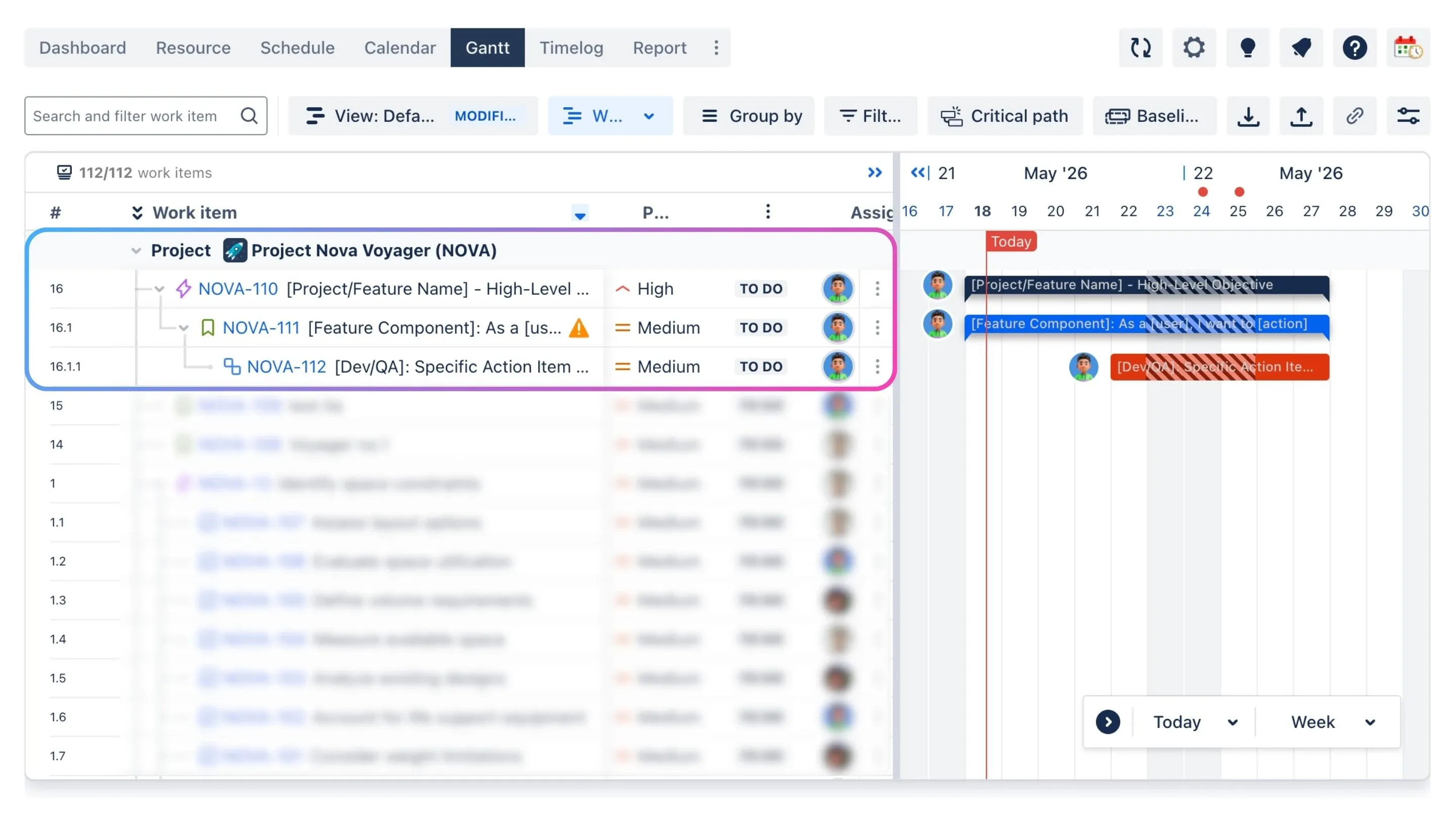
Visualizing project timelines and dependencies on a Gantt chart
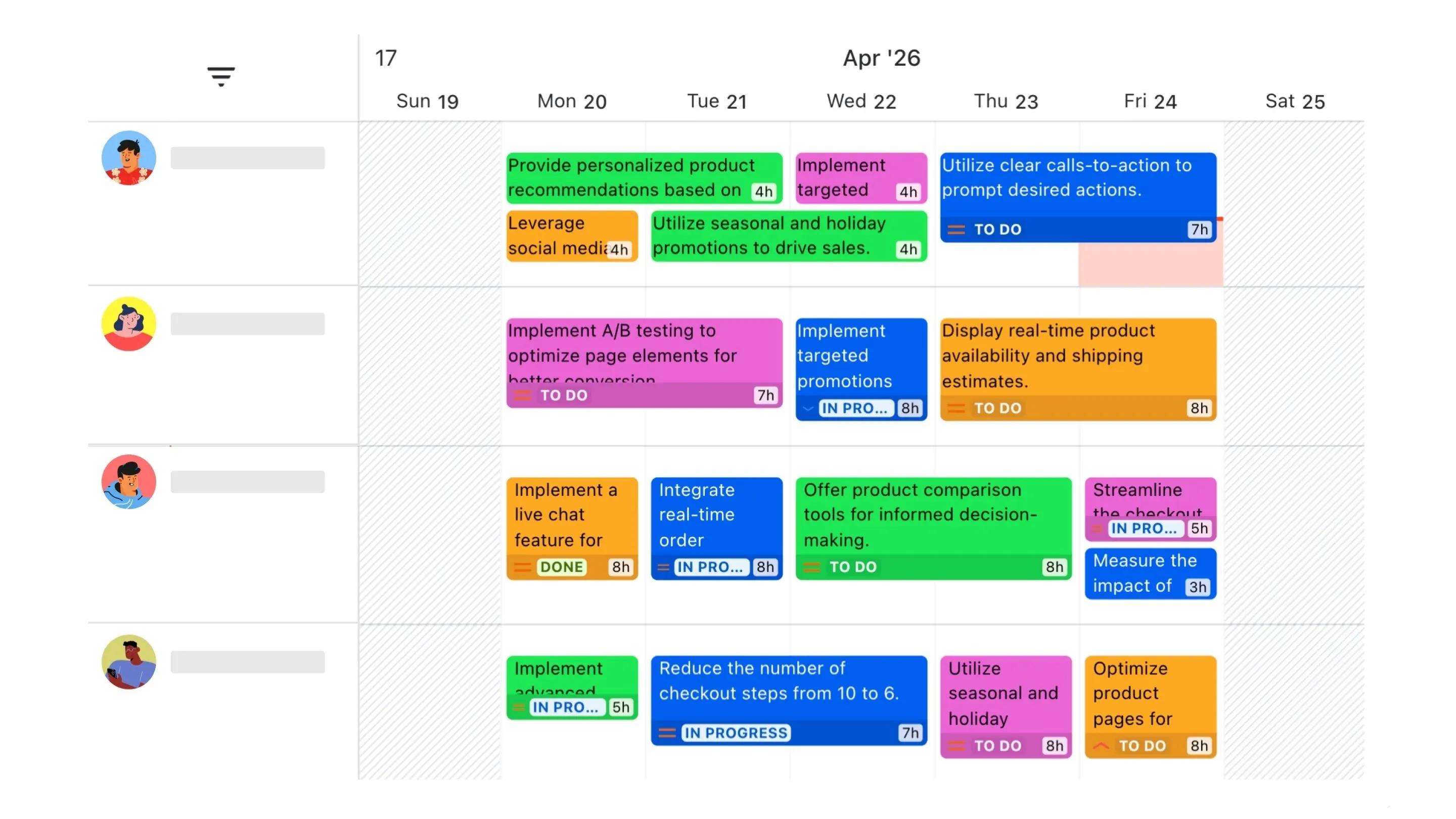
Managing team schedules and tracking resource availability
The template hierarchy instantly appears as a WBS. As a result, every generated task is now scheduled, assigned, and fully visible to the whole team. Instead of spending day one fighting with Jira setup, project leads can focus entirely on strategy, alignment, and execution.
Elevating ITSM & Asset Management
3. The Efficiency Duo: Smart Onboarding & Requests
Bridging the gap between employee requests and inventory precision.
Manual data entry is the ultimate enemy of a clean asset inventory. We have all seen it happen: a new hire joins, and someone requests their laptop via a chaotic JSM ticket filled with typos, missing specs, or vague text. By the time IT gets to it, they waste hours chasing down details or fixing messy inventory records by hand.
Onboarding should be completely seamless. By pairing Issue Templates Agent with AssetIT, you can transform your process from messy requests to clean asset records.
This integration effectively eliminates errors at every step:
- Issue Templates Agent standardizes the request upfront. You can build custom templates once and reuse them across all your JSM portals. When a “New Starter” package is selected, it automatically builds out the perfect ticket with precise fields like role, location, and hardware kit.
- AssetIT instantly takes over on that exact same ticket, letting IT allocate or reserve real, live devices straight from the inventory database with zero manual data errors.
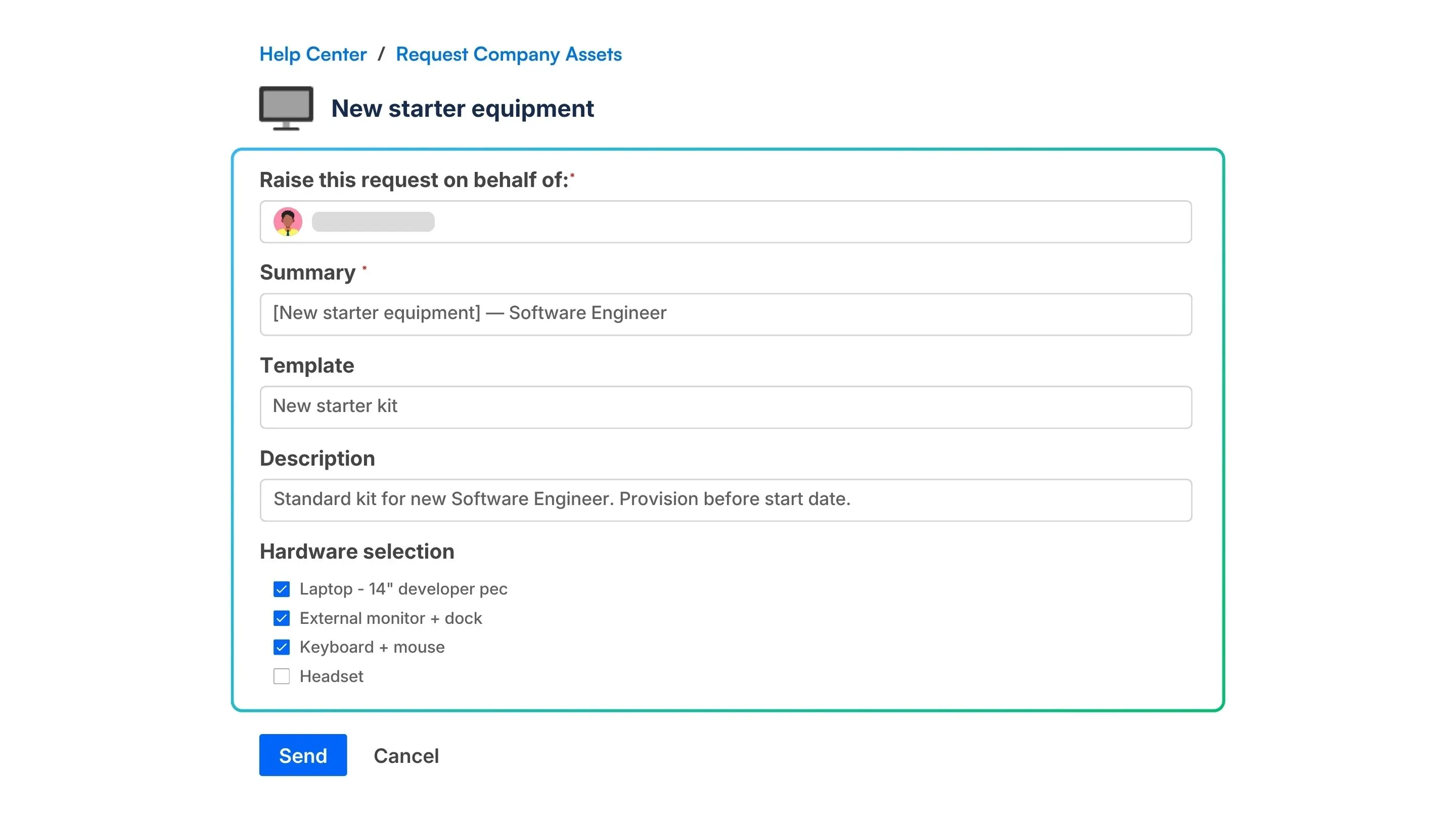
Standardized onboarding equipment request form on the JSM portal
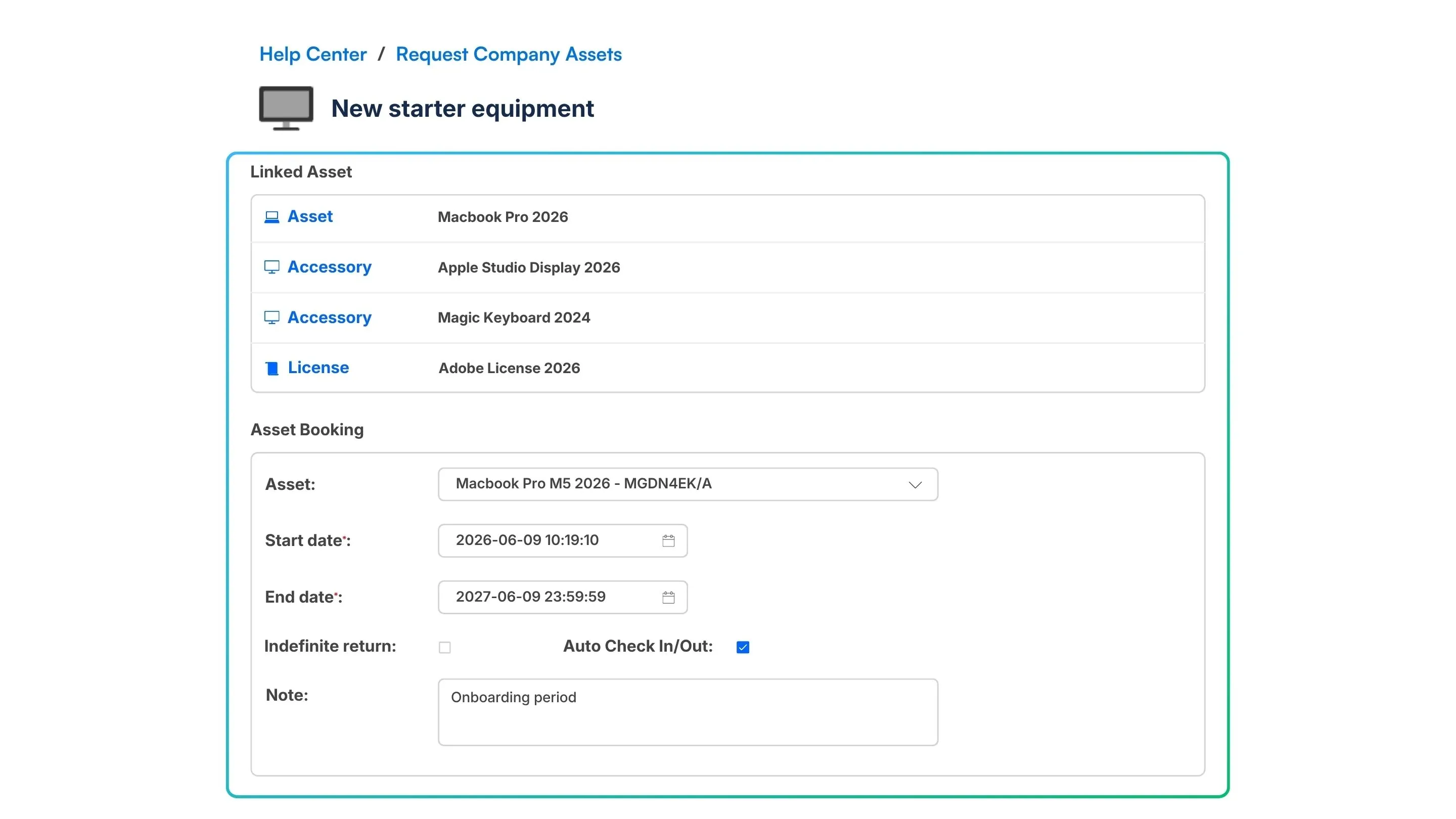
Direct asset allocation and booking from the inventory database
Users can book assets directly from the JSM Portal based on real inventory. Even better, you can request multiple IT assets all on a single Jira ticket. New hires get the right gear on day one, your IT team stops playing detective, and your asset records stay 100% accurate.
4. The Service Duo: Transparent Asset Management
Empowering true self-service on the JSM portal.
Your customers shouldn’t have to open a support ticket just to ask for an update on their hardware. True self-service means giving users the answers they need, right where they are already looking.
That is why we are pairing Feature Bundle with AssetIT to bridge the visibility gap on the JSM portal. Together, they give your IT team and your customers the perfect setup:
- Feature Bundle surfaces that critical data directly on the Customer Portal using visual Ticket Journey and Additional Fields.
- AssetIT tracks the entire lifecycle of your hardware, software, and licenses behind the scenes, linking those assets directly to JSM requests.
The result? Your customers get instant clarity on their assets and ticket status without chasing down support, while your IT agents focus entirely on resolving issues faster.
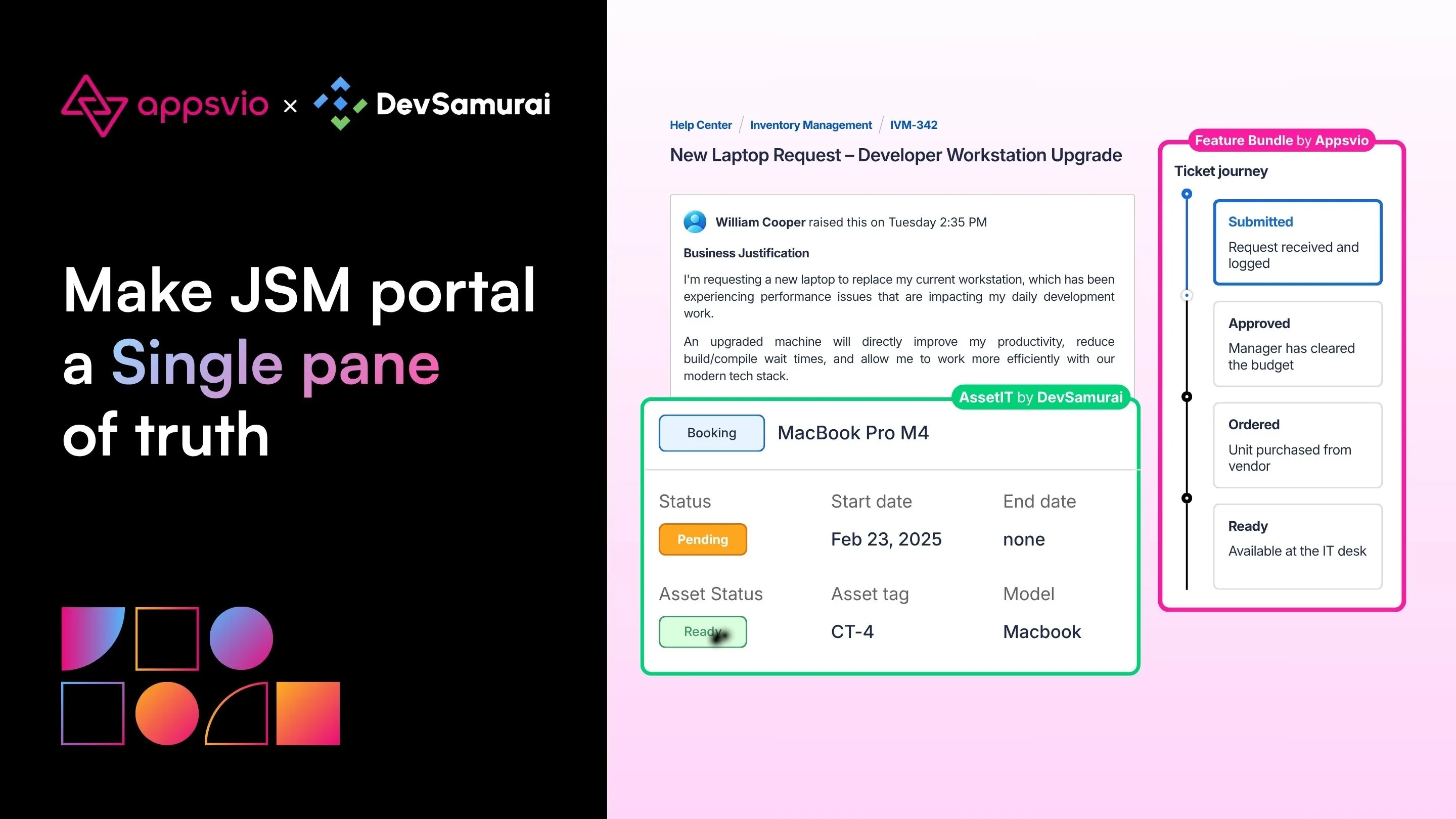
Transparent JSM portal with asset tracking and ticket journey
Ready to upgrade your ecosystem?
Synergy in the Atlassian ecosystem is not a buzzword but a measurable way to save time and reduce frustration for your teams. Try these duos out and see the difference a truly integrated workflow makes.
Explore the Apps by Appsvio:
Explore the Apps by DevSamurai:
Related posts

Dariusz Jaroń
•Oct 21, 2026

Dariusz Jaroń
•Oct 2, 2026