
11 Best Jira Test Management Tools in 2026 (Xray, Zephyr, ATM & More Compared)
We compared 11 Jira test management tools in 2026 - Xray, Zephyr, ATM and more - on integration depth, automation, pricing, and data residency.


Jira has stopped being just a backlog for stories and bugs: for many QA teams it’s now the place where testing gets planned, executed, and reported end to end. That shift has made dedicated test management tools for Jira a real necessity rather than a nice-to-have. The market has grown crowded along the way: some apps are fully Jira-native, others sit alongside Jira as external platforms with an integration layer. Some are built for lightweight manual testing in agile teams, others aim at full ALM-style reporting and compliance.
Below we compare 11 Jira test management tools for 2026.
Quick picks
| Tool | Type | Best for | Key strength | Key limitation |
|---|---|---|---|---|
| Appsvio Test Management (ATM) | Jira-native (Forge) | Teams that want Jira to stay the single source of truth, with strict data residency | No data egress, REST API, in-app evidence/attachments | No Cucumber/BDD support yet |
| Xray | Deep Jira integration | Large, mature teams needing manual + automated + BDD in one repository | Manual, automated, and BDD testing in one ecosystem | Expensive at scale; steep learning curve |
| Zephyr | Deep Jira integration | Teams needing on-prem or data-center deployment | Deployment flexibility | Feels less native; can be pricey for small teams |
| TestLink | External, self-hosted, open source | Teams wanting a free, self-hosted option | Free and customizable | Dated UI, no native Jira integration |
| AgileTest | Jira-native | Agile teams wanting a lightweight, intuitive tool | Strong Marketplace track record (4.6/5) | Lighter feature set for large programs |
| QMetry | Jira-native | Larger orgs needing automation and risk-based testing | Rich automation/CI-CD integration | Steep learning curve, higher cost |
| QAlity Plus | Jira-native | Small teams running mainly manual tests | Simple and affordable | Fewer advanced features |
| TestRay | Jira-native, ALM-like | Teams wanting rich configuration and reporting | Strong Marketplace rating (4.5/5), responsive support | Learning curve on large datasets |
| RTM | Jira-native | Teams combining requirements and test management | Visual execution progress bar | No test case step versioning |
| TestFLO | External / on-prem | Teams needing Cucumber, JUnit, TestNG, NUnit and Jenkins/Bamboo | Broad automation-framework support | No Cloud version |
| Testmo | External SaaS hub | Teams wanting a dedicated QA hub outside Jira | Fast, modern UI | Not Jira-native; limited reporting per G2 |
INFO
How we evaluated these tools
We looked at five things for each tool: how deeply it integrates into Jira’s own issue model versus running as a separate system next to it; its automation and API surface for CI/CD workflows; how pricing behaves at scale (per Jira seat vs. per active tester); its governance and data-residency posture; and what real users report on G2 and the Atlassian Marketplace rather than vendor marketing copy alone. Where a claim couldn’t be verified against a review platform or vendor documentation, we sourced it directly or left it out.
Appsvio Test Management
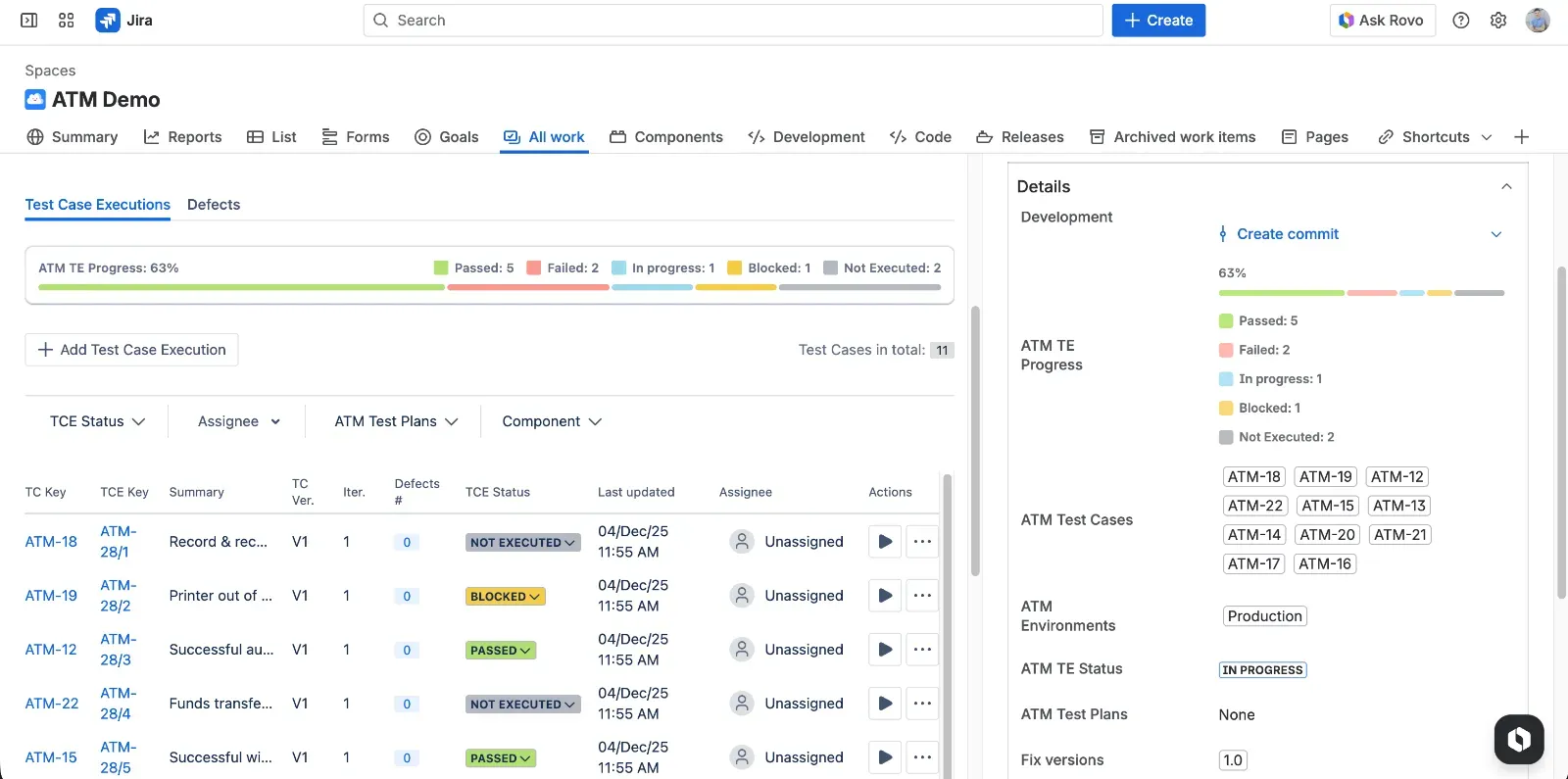
Appsvio Test Management is a Jira Cloud-native test management app built on Atlassian Forge, designed for cross-functional teams that want to plan, execute, and report tests directly on Jira work items without leaving the product. It fits agile and cross-project testing, from simple smoke suites to structured regression cycles, in one workflow.
Key features
- Tests, requirements, executions, and defects are Jira issues, so teams keep their existing ways of working.
- End-to-end traceability: link requirements, test cases, test executions and defects, and report coverage and gaps in real time.
- Test Case Architect with Rovo, using Atlassian Rovo to generate and refine test steps and speed up test design.
- Cross-project testing setup: manage environments, test plans and test suites that span multiple Jira projects in one hub.
- Jira-centric reporting: traceability and test coverage reports focused on release readiness, not only execution statistics.
- Attachments and evidence built into the testing flow: attach files directly to Test Case steps, add evidence on execution steps, and preview everything in-app.
- A REST API for programmatic access to test cases, versions, and executions, with an OpenAPI (Swagger) spec importable into Postman.
- Atlassian-managed data residency: data stays in Atlassian infrastructure with data residency options and “Runs on Atlassian” trust signals (no data egress).
Key advantages
- Testers work inside standard Jira issues and workflows instead of a bolted-on module.
- Modern, cloud-designed UX that feels close to standard Jira Cloud UI.
- Full traceability from requirements to defects, enabling impact analysis and confident releases.
- Built-in Rovo Test Case Architect to help design test cases more efficiently.
- In-app attachment and evidence previews — no downloading files just to check a screenshot or a log.
- A documented REST API with an importable OpenAPI spec, so teams can automate execution or plug ATM into existing CI/CD and reporting pipelines.
- Atlassian-managed data residency in multiple regions, important for regulated sectors.
- No data egress and a “Runs on Atlassian” badge, which increases trust around security and architecture.
INFO
This is the only test management tool on this list that stores all customer data on Atlassian.
Key disadvantages
- No Cucumber support at the moment, which limits BDD workflows based on Gherkin scenarios. It’s on the roadmap.
Build a consistent, scalable testing process that grows with your team.
Manage test cases and execution without added complexity.
Get free trialXray - Test Management for Jira
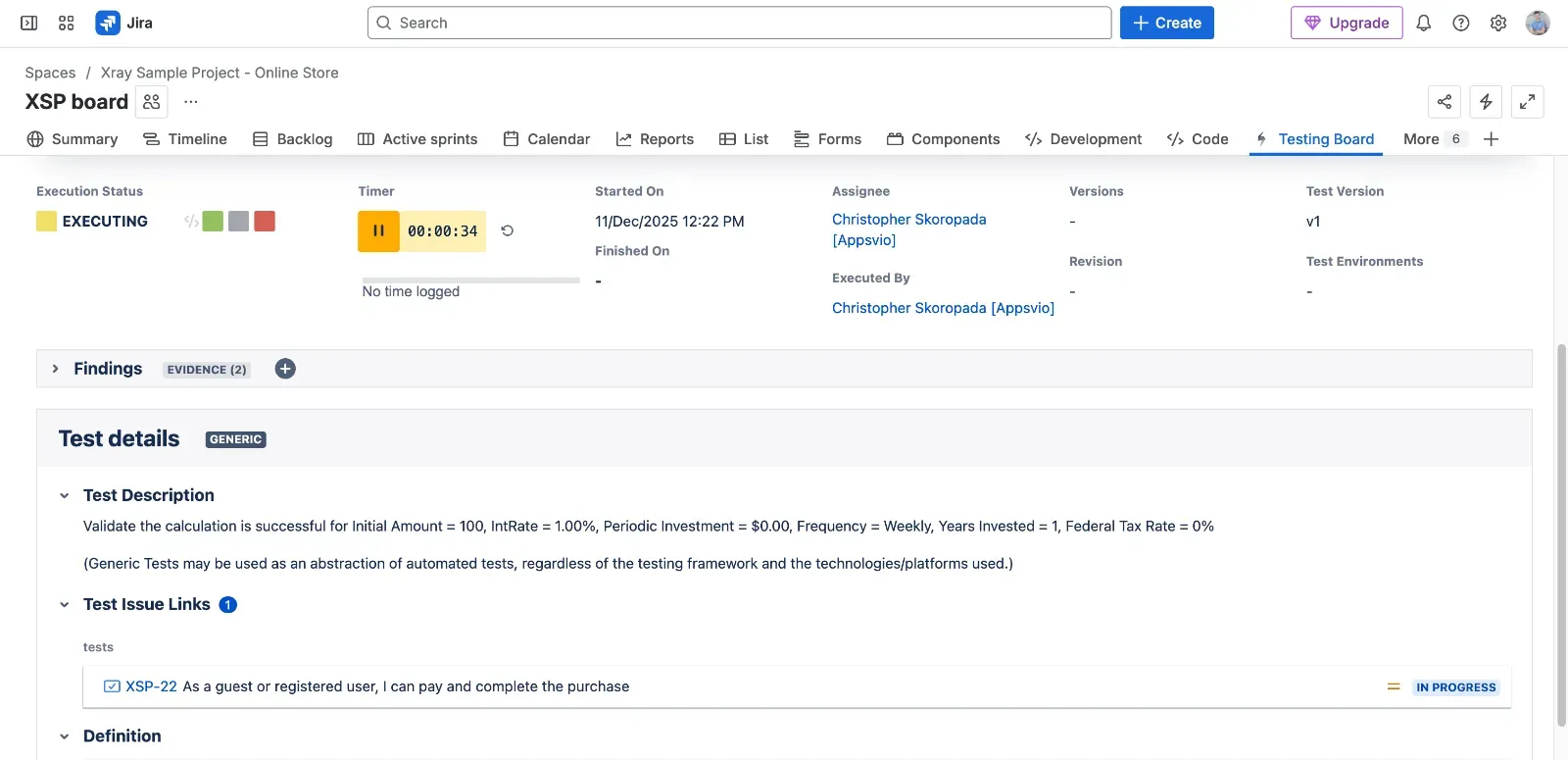
Xray is a comprehensive test management solution for Jira supporting manual, automated, and BDD testing in one ecosystem. It’s aimed at larger or more mature teams that need strong structure for large test repositories - and that are ready to invest time in configuration and governance to get there.
Key features
- Manual test case design with reusable steps and parameters.
- Built-in support for automated tests and BDD (e.g., Cucumber) synchronized with Jira.
- Rich hierarchical organization for large test repositories (test sets, plans, executions).
- Advanced traceability from requirements to tests and defects.
- Wide integration options via REST API and CI/CD pipelines.
Key advantages
- Jira-based test management tool that integrates deeply with Jira issues.
- Manual, automated, and BDD testing in one place, which simplifies governance.
- Powerful organization structures suited for very large and long-living test repositories.
- Mature ecosystem and market presence, with community knowledge and partner support.
Key disadvantages
- Pricing scales by total Jira user count rather than active testers - a 200-user Jira instance with 15 testers still pays for 200 seats, which makes Xray expensive at scale (aqua-cloud.io).
- Steep learning curve: G2 reviewers consistently cite the interface and onboarding as the two most common complaints, partly because Xray introduces roughly seven new entity types on top of Jira’s own (aqua-cloud.io).
- Reporting is powerful but not easy to use out of the box - teams should budget configuration time before relying on it for an executive review.
- Feature gaps and migration overhead between Server/Data Center and Cloud versions.
- Performance problems at scale in large instances.
- Data is stored in Xray’s own databases, which some teams treat as an extra compliance consideration.
Zephyr - Test Management and Automation for Jira
Zephyr for Jira is a test management product from SmartBear aimed at teams that want manual and automated testing plus integration with the wider SmartBear toolset. It suits organizations that are fine with a more traditional UI in exchange for broad deployment options, including on-premise.
Key features
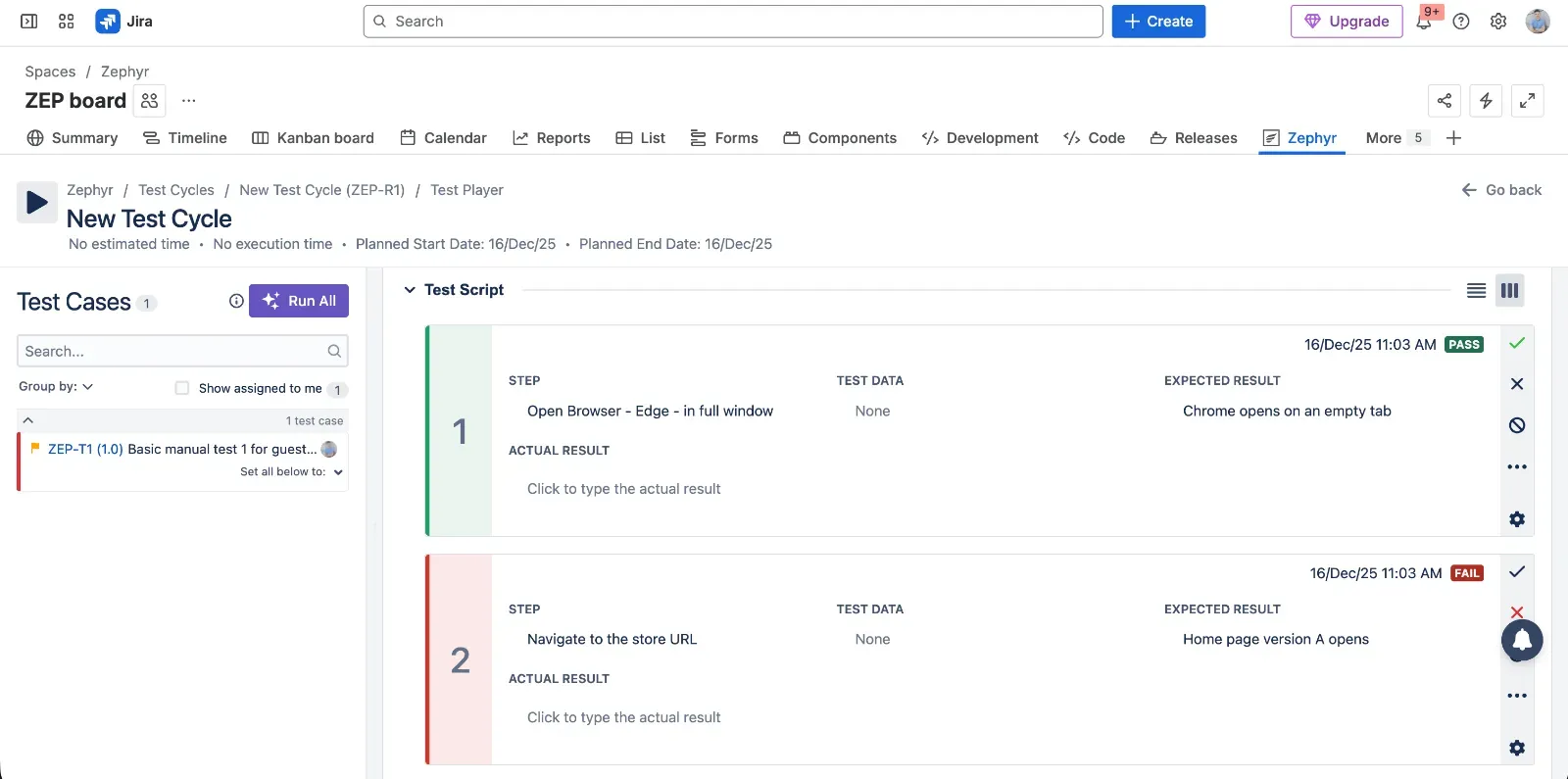
- Creation of test cases with grouping into test cycles and linking to Jira issues.
- Support for executing tests and capturing detailed results.
- Options for on-premises or data-center deployments in addition to cloud.
- Integration with CI/CD pipelines and automation frameworks through REST API.
- Reporting on execution status and coverage across cycles and releases.
Key advantages
- Deployment flexibility, including on-premises and data-center options.
- REST API and CI/CD integration for teams building out automation.
- Broad SmartBear ecosystem for teams already using other SmartBear tools.
Key disadvantages
- Feels less integrated with Jira than native Forge apps — G2 reviewers describe the interface as confusing at first, with some features taking time to learn during onboarding.
- Pricing can feel steep for smaller teams, and performance can slow down on large test libraries, per G2 reviews of Zephyr Scale.
- Customization and parameterization are reported as weaker than in some competing enterprise tools.
- Integrations are generally solid but occasionally need better syncing, according to G2 feedback.
TestLink
TestLink is a classic, open-source test management system teams can self-host. It suits organizations comfortable running their own infrastructure and who’d rather avoid license fees than get a modern interface or native Jira integration.
INFO
TestLink is not inherently a cloud-native software as a service (SaaS) product; rather, it is an open-source, web-based test management tool that you host yourself.
Key features
- Web-based test management that teams can install on their own servers.
- Basic support for test suites, test cases, requirements, and execution records.
- Flexible customization through direct access to source code.
- Simple reporting for coverage and execution progress.
Key advantages
- Free, open-source, and self-hosted, with no subscription fees.
- Simple and predictable functionality that is easy to understand.
- Customizable because it is open source and can be adapted by in-house developers.
- A reasonable step up for teams moving away from spreadsheets and documents.
Key disadvantages
- Outdated, cluttered, and unintuitive UI that feels far from modern tools.
- No native integration with Jira, which creates extra synchronization work.
- Lack of modern testing capabilities expected by agile teams.
- Requires in-house hosting and maintenance, including backups and upgrades.
- Development updates are slow compared to active commercial products.
AgileTest for Jira
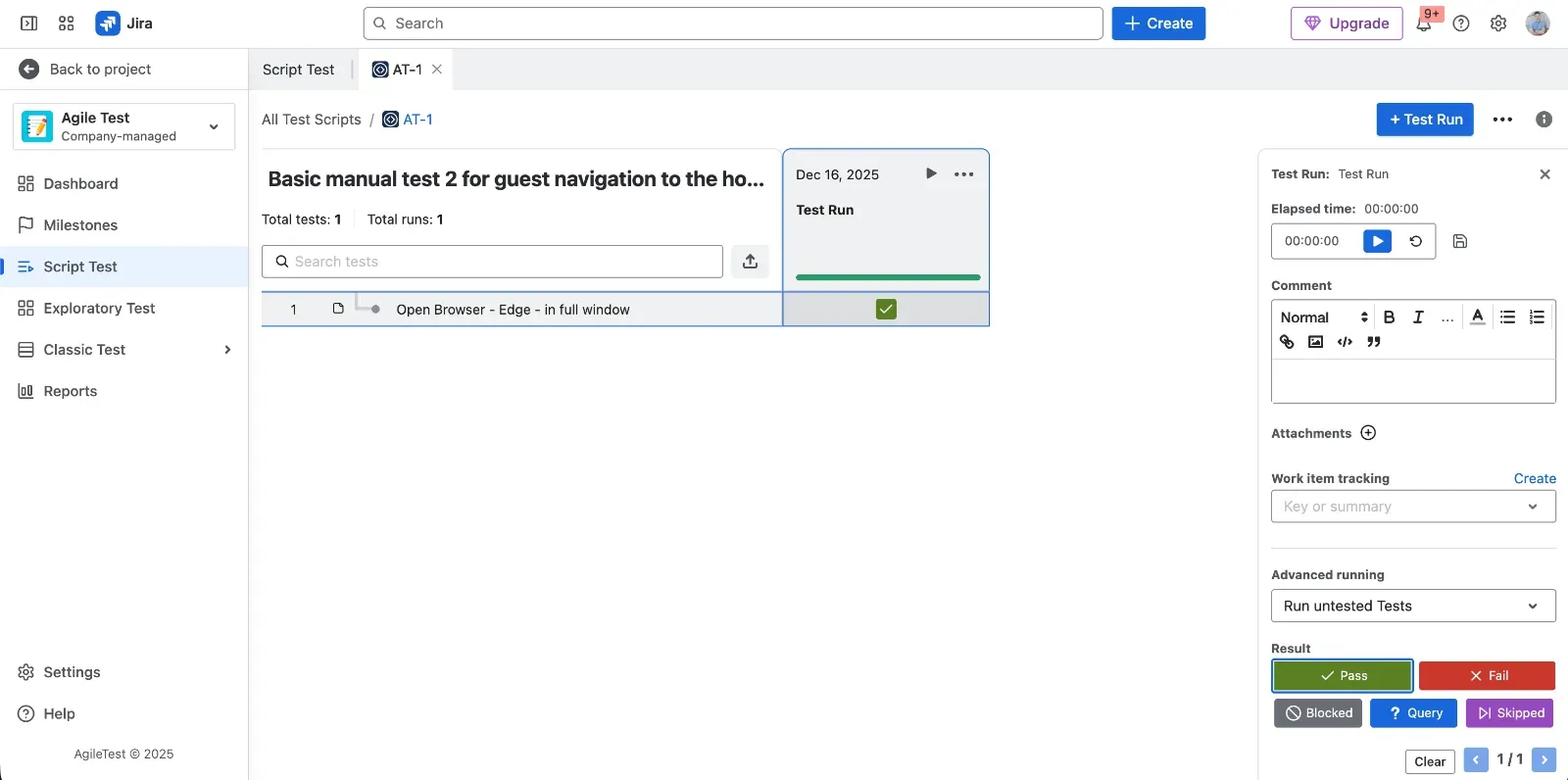
AgileTest is a Jira-native test management app built around simplicity, aimed at agile teams that want testing to stay lightweight and inside Jira issues rather than adding an ALM layer.
Key features
- Jira-native test entities that behave like standard Jira issues.
- Simple flows for test execution and defect logging.
- Built-in coverage and traceability views aligned with Jira projects.
- Lightweight reporting appropriate for agile teams.
Key advantages
- Truly Jira-native and intuitive UI that fits standard Jira patterns.
- Easy test execution and defect logging during everyday work.
- Built-in coverage and traceability views that show relationships without heavy configuration.
- Strong Marketplace track record: 4.6/5 across 73 reviews, with the vendor (DevSamurai) actively responding to feedback and offering 24/7 support (Atlassian Marketplace).
Key disadvantages
- Feature-light compared to enterprise-grade tools, which may limit complex programs.
- Reporting is basic and lacks advanced analytics for stakeholders.
- Repository management can become messy at scale if governance is weak.
- Not ideal for compliance-heavy or regulated industries that need strict process control.
- Some users find the UI too simplistic for advanced use cases.
QMetry Test Management for Jira (QTM4J)
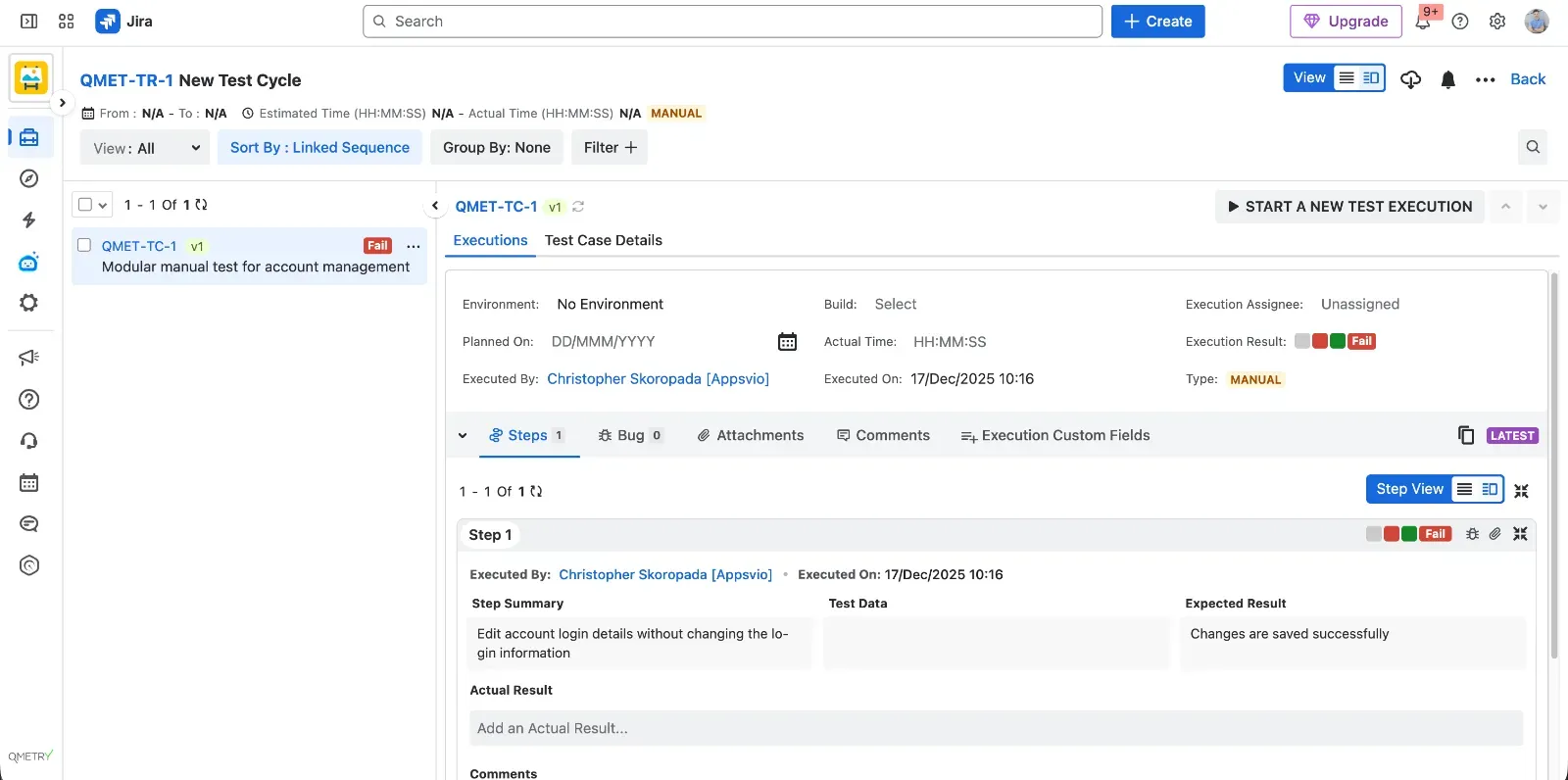
QMetry is a feature-rich, scalable Jira-native test management app aimed at larger organizations that need advanced automation integration, risk-based testing, and rich reporting on top of Jira.
Key features
- Comprehensive test case, plan, and execution management inside Jira.
- Strong automation and CI/CD integrations that centralize results.
- Configurable dashboards and analytics for management reporting.
- Support for requirements traceability and risk-based testing approaches.
Key advantages
- Very feature-rich and scalable Jira-native test management.
- Strong automation and CI/CD integrations for mature pipelines.
- Rich reporting and customizable dashboards for different stakeholders.
- Support for requirements traceability and risk-based testing practices.
Key disadvantages
- Steep learning curve and complex UX, especially for new users.
- Performance issues reported in large or complicated Jira environments.
- Automation integration is strong but setup can be too technical for some teams.
- UI feels outdated compared to newer Jira apps.
- Higher cost relative to simpler Jira add-ons.
QAlity Plus - Test Management for Jira
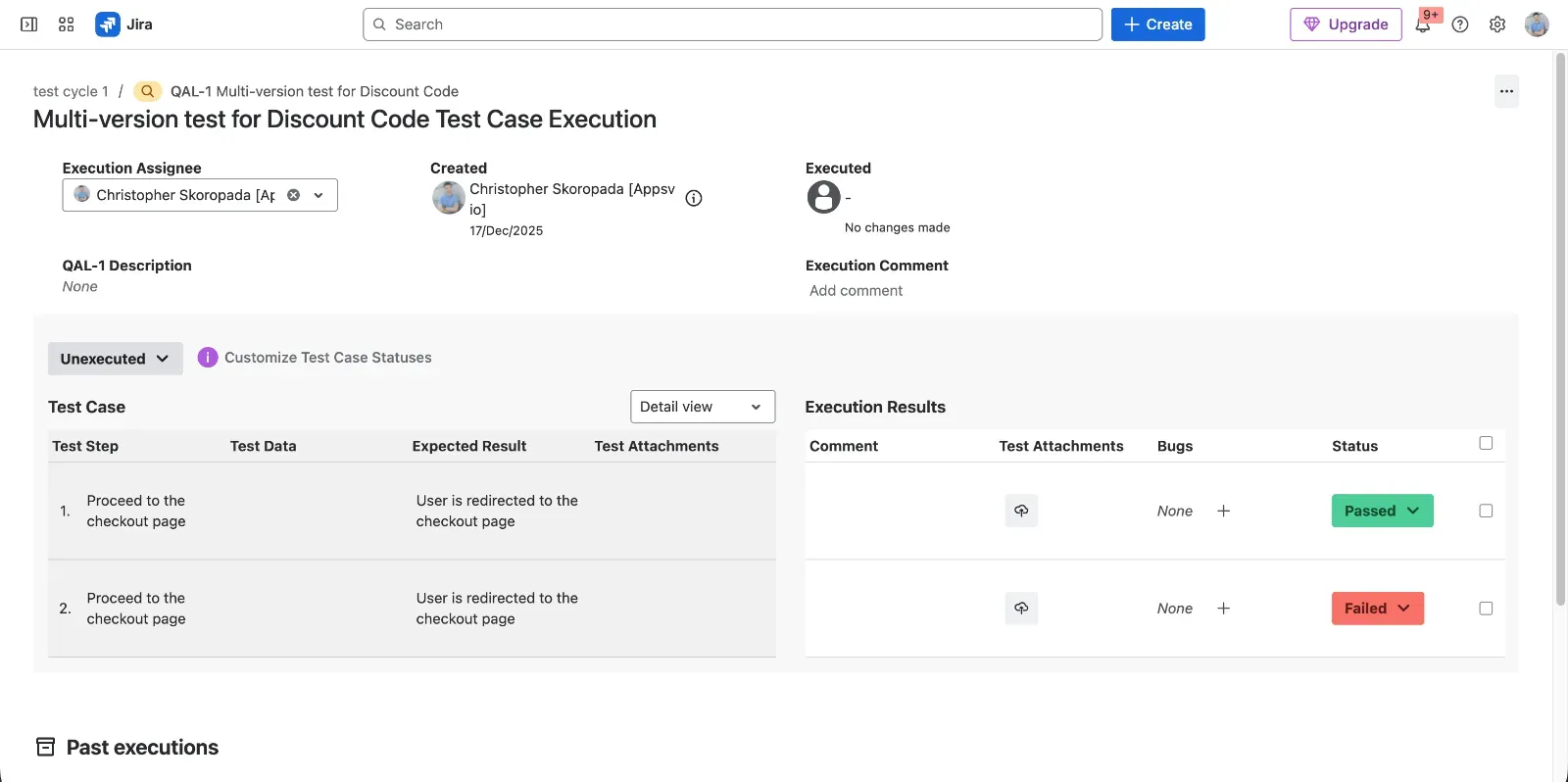
QAlity Plus is a lightweight test management app for Jira built around simplicity, suited to small teams running mainly manual tests who want to avoid heavy configuration.
Key features
- Simple test case and execution management inside Jira.
- Lightweight repository structure for small and mid-sized projects.
- Basic reporting focused on manual runs.
Key advantages
- Extremely simple and intuitive for both testers and non-testers.
- Lightweight feature set that fits small or agile teams that do not need complex structures.
- Very affordable and cost-effective for budget-conscious teams.
Key disadvantages
- In our hands-on testing, the interface felt less polished than newer Jira-native tools.
- Performance may become slow on large datasets.
- Steep learning curve for new testers in bigger Jira instances.
- Non-native feel inside Jira compared to more deeply integrated apps.
TestRay for Jira
TestRay brings ALM-like capabilities into Jira, aimed at teams that want rich configuration and reporting around their test process and are willing to accept a heavier tool for that flexibility.
Key features
- Advanced planning and structuring of tests and suites.
- Strong focus on traceability and linking to Jira issues.
- Mature reporting views for different roles.
- High level of customization for workflows and fields.
Key advantages
- Rich ALM-like capabilities for managing complex testing lifecycles.
- Excellent traceability of requirements, tests, and defects.
- Mature reporting for managers and quality leaders.
- Highly customizable to match specific processes.
- Rated 4.5/5 across 68 reviews on the Atlassian Marketplace, with several reviewers specifically praising fast, hands-on vendor support (Atlassian Marketplace).
Key disadvantages
- In our hands-on testing, the interface felt dated compared to newer Jira-native apps — though Marketplace reviews (4.5/5) focus mostly on praising vendor support rather than raising UI complaints.
- Performance can become slow on large datasets.
- Steep learning curve for new testers.
- Non-native feel inside Jira compared to lighter Forge-based apps.
RTM (Requirements & Test Management) for Jira
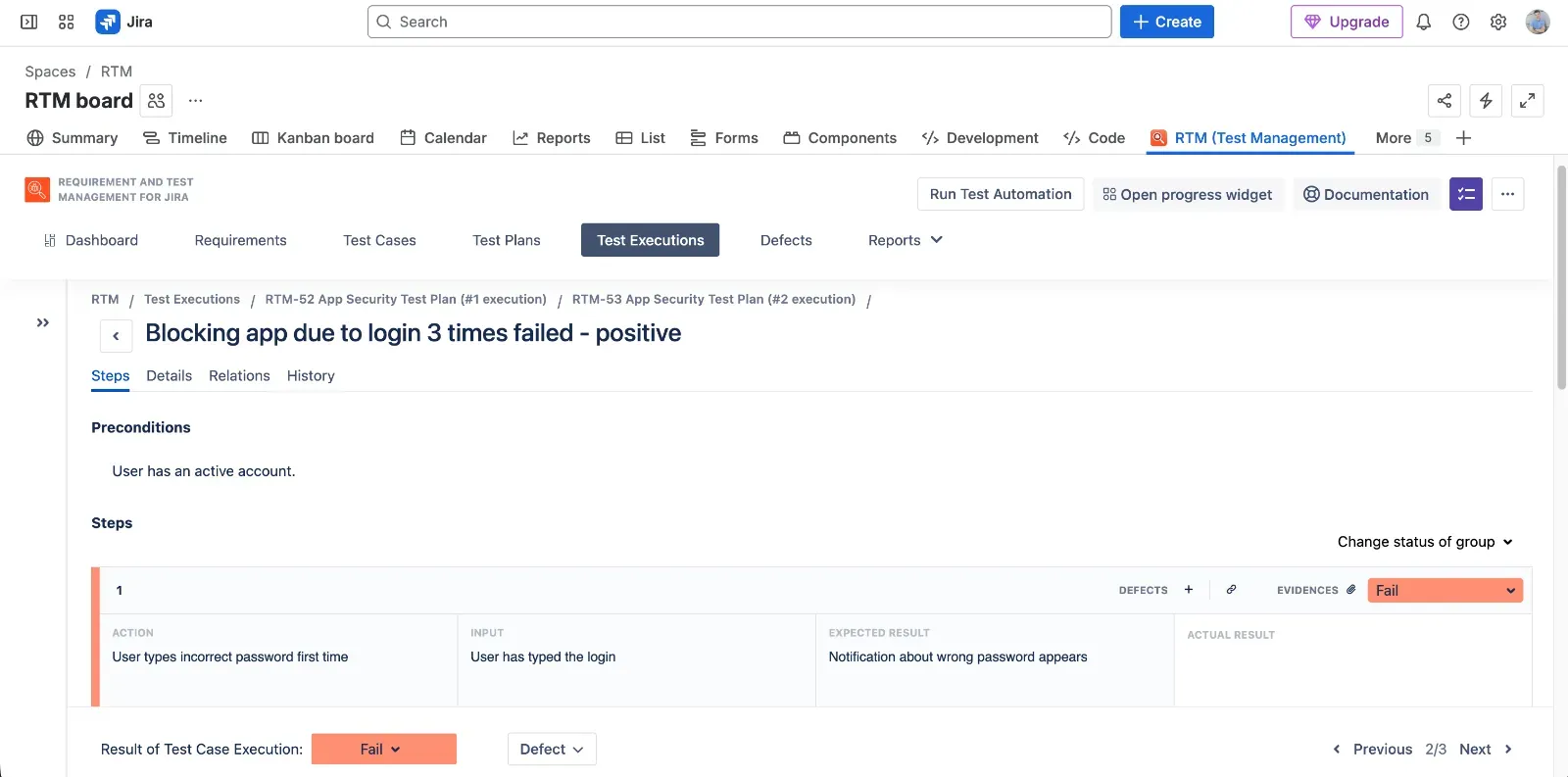
RTM by Deviniti is a Jira app combining requirements and test management, aimed at teams that want specs and tests in one place with straightforward execution and progress tracking, on both Jira Server and Cloud.
Key features
- Management of requirements and tests inside Jira projects.
- Test execution progress bar for quick visual status.
- Combined view of requirements, test cases, and executions.
- Basic documentation and guides maintained by the vendor.
Key advantages
- Practical test execution progress bar that makes status easy to understand.
- Test case AI generation after connecting to OpenAI via an API key stored in the app.
- Documentation that is up to date, which helps onboarding.
Key disadvantages
- No Test Case Steps versioning feature.
- Cannot execute a single Test Case independently in some flows.
- No Test Case Execution iteration feature.
- Easy to break the relation between Test Case and Test Execution by deleting the Jira link.
- Cannot preview test data directly from the issue view.
- No dark mode support.
- Test case data stored on the vendor’s server.
- End-user data stored indefinitely after app uninstallation.
- Vendor might record user activity using PostHog, which some teams may see as a tracking concern.
TestFLO - Test Management for Jira
TestFLO is a Jira-based test management tool from Deviniti, focused mainly on on-premise and data-center deployments, aimed at teams that need integration with automation frameworks like Cucumber and classic CI tools.
Key features
- Support for Cucumber, JUnit, TestNG, and NUnit test automation results.
- Integration with Jira issues for traceability.
- Reporting for traceability, test plan execution, and test plan iterations.
- Ready-to-use integration with Jenkins and Bamboo.
Key advantages
- Broad support for popular test automation frameworks (Cucumber, JUnit, TestNG, NUnit).
- Good integration with Jira issues for linking tests and defects.
- Traceability, Test Plan Execution, and Test Plan Iterations reports.
- Ready-to-use integration with Jenkins and Bamboo.
Key disadvantages
- No Cloud version available.
- It appears not to be actively developed by the vendor.
Testmo
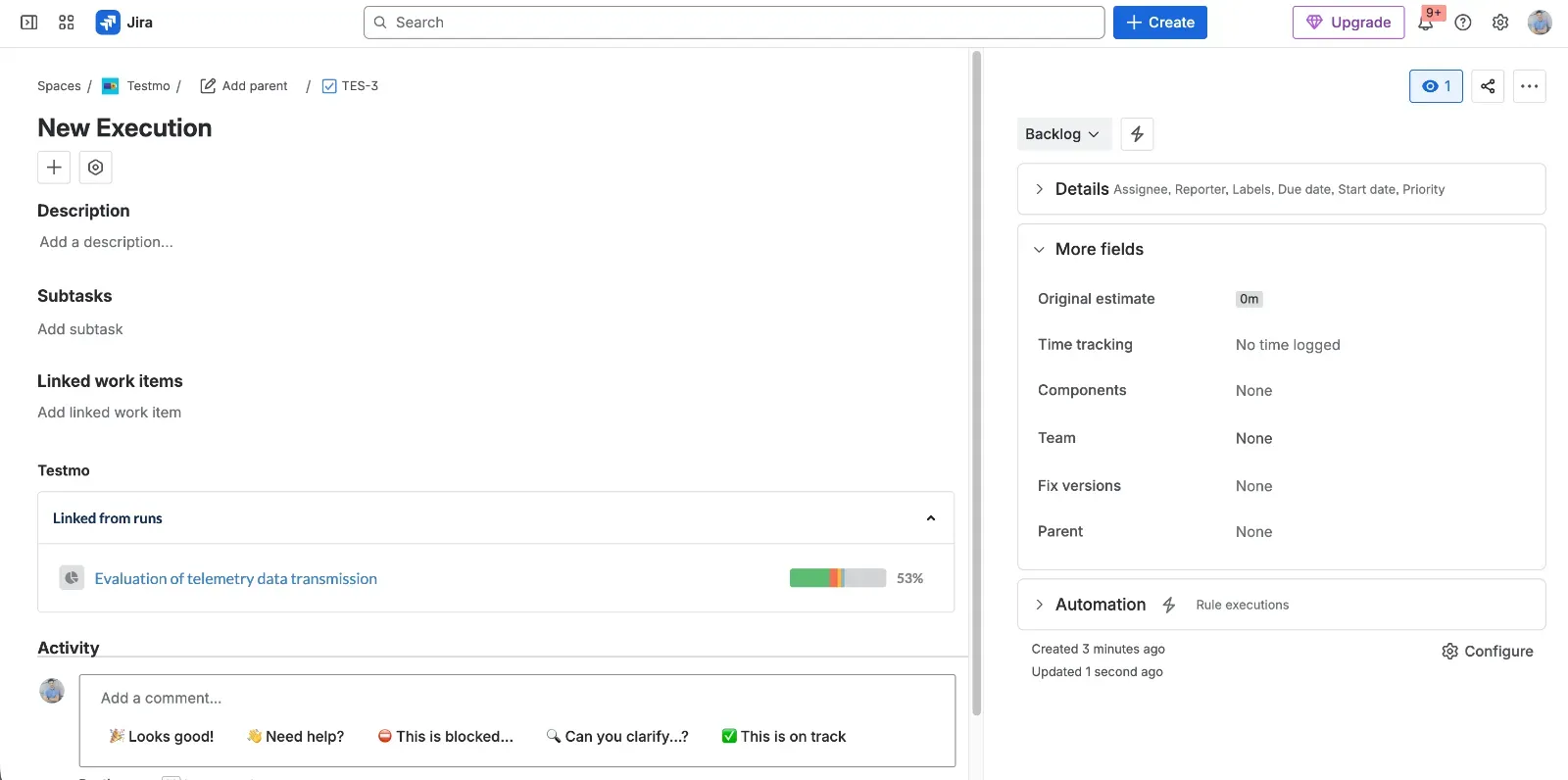
Testmo is an external SaaS test management platform with a Jira integration app, aimed at teams ready to run a dedicated QA hub outside Jira that still links back to Jira issues - combining manual, automated, and exploratory testing in one place.
Key features
- Unified hub for manual, automated, and exploratory testing.
- Structured workflows for real-world QA processes and releases.
- Fast, modern UI optimized for power users.
- Jira integration via an add-on to synchronize issues and defects.
Key advantages
- Good structure for real-world QA workflows with releases and suites.
- Modern, fast, and “lightweight-feeling” user interface.
- Unified test management (manual, automation, exploratory) in one hub.
Key disadvantages
- Not Jira-native – it is an external SaaS product connected by an add-on.
- Reporting and analytics feel limited next to dedicated tools: G2 reviewers specifically call out a lack of custom report templates and weak visualizations for automated-testing scenarios, along with no proper search for finding test cases or runs quickly (G2).
- May be overkill for very simple teams that only need basic manual test lists.
How to choose the right tool
Looking across the tools, a few patterns appear:
Jira-native vs external hub
ATM, AgileTest, QMetry, QAlity Plus, TestRay, RTM, and TestFLO live inside Jira. Xray and Zephyr integrate deeply but often behave like frameworks layered on top of Jira. Testmo is a separate hub connected by an add-on. The real question is whether you want Jira to stay the single source of truth, or you’re fine with context-switching to a dedicated QA platform.
Process complexity and maturity
Lightweight tools, ATM, AgileTest, QAlity Plus, let testers start quickly without heavy setup, which suits straightforward or fast-moving processes. Xray, Zephyr, QMetry, and TestRay are built for stricter tracking and advanced reporting, but they take longer to learn and cost more to run.
Manual vs automation-heavy testing
Xray, Zephyr, QMetry, TestFLO, and Testmo offer rich automation integrations out of the box. ATM now backs that up with a documented REST API and an importable OpenAPI spec, so teams can automate execution and connect CI/CD pipelines directly - Cucumber-based BDD support specifically is still on its roadmap.
Governance and compliance
Where test data lives matters more each year. A Forge-based, Runs on Atlassian app like ATM keeps data inside Atlassian’s infrastructure, cutting the number of vendors in your compliance chain. Self-hosted TestLink shifts that responsibility entirely to your own team. Other apps store data on their own infrastructure, which adds a residency and retention question worth asking upfront.
If keeping Jira as the single collaboration space matters more than any one feature, a modern Jira-native tool is usually the stronger fit - and Appsvio Test Management (ATM) is a reasonable starting point there: Forge-based, close to native Jira UX, with strong traceability, a REST API for automation, and clear trust signals, while still openly showing where it’s not yet complete (Cucumber/BDD support is on the roadmap).
Need Help Choosing the Right Jira Test Management Tool?
Get expert help choosing the right Jira test management tool for your team.
Free consultationFAQs
Related posts

Dariusz Jaroń
•Oct 2, 2026


Dariusz Jaroń
•Sep 23, 2026