

Dariusz Jaroń
•Oct 2, 2026
AI quality assurance is everywhere, but is it a revolution? See what really changes for QA teams, what AI still can't do, and how it works in Jira.

Appsvio Test Management is a powerful, Jira-native test management tool designed to help QA teams manage test cases, test plans, and test execution directly in Jira.
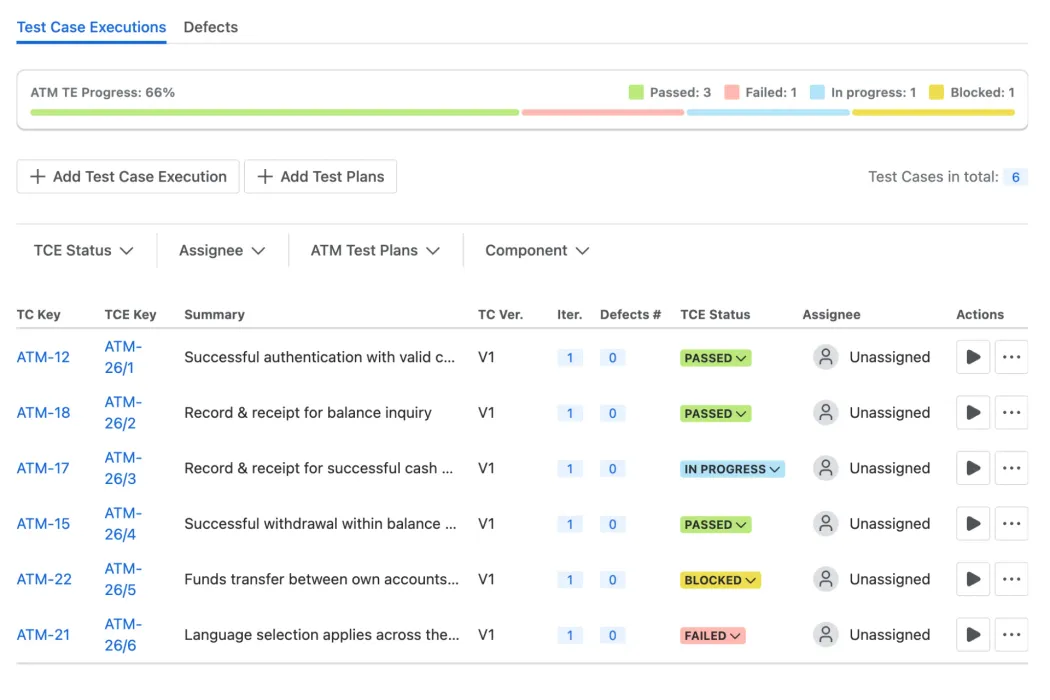
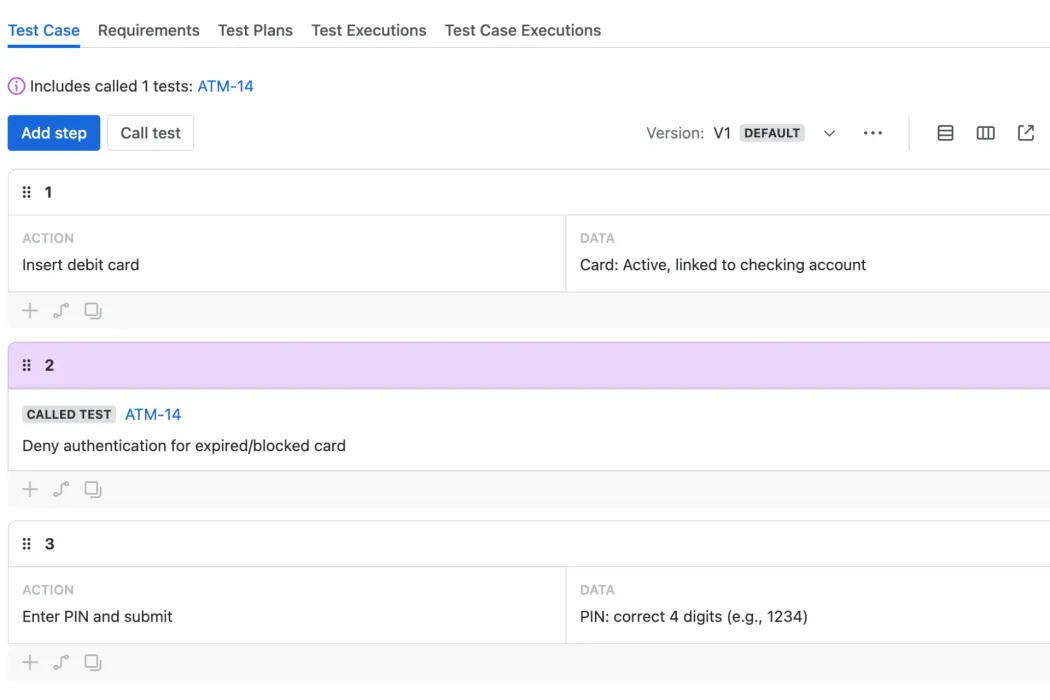
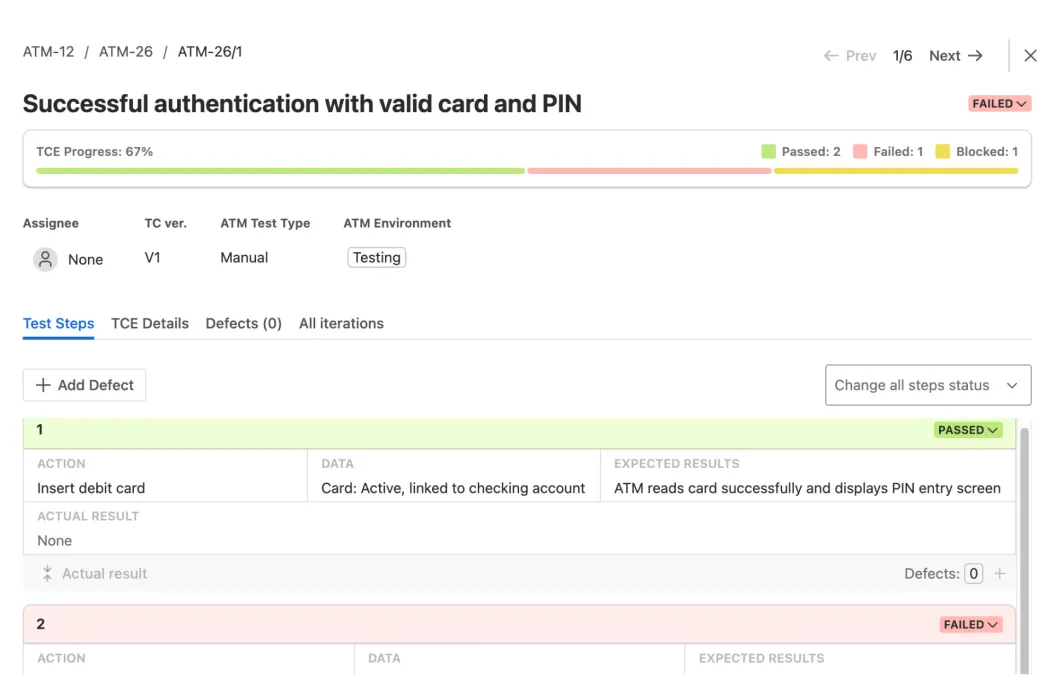
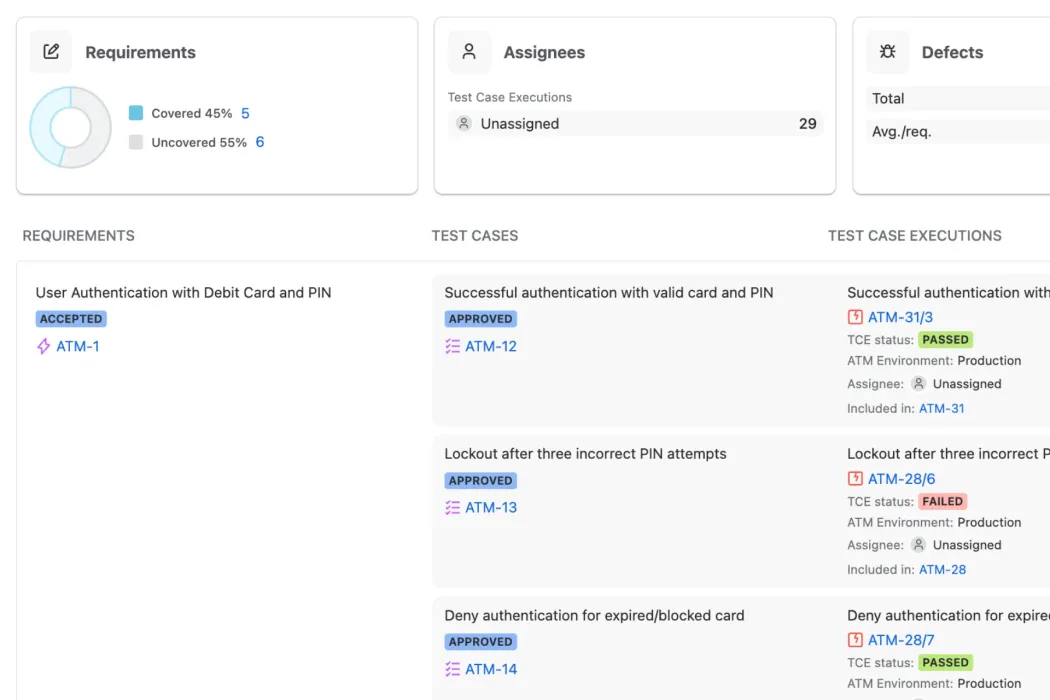
Shorten test cycles with a Jira‑native flow from planning to execution. Ship quality faster without switching tools.
Track requirements, test cases, runs and defects in one place. Spot risks early and keep stakeholders updated with progress.
Built on Atlassian's Forge infrastructure, guaranteeing data residency and no data egress, which simplifies your security reviews.
Customize your test suites, test types, fields and workflows to align with your team's needs - all without the rigid setup.
Give PMs, developers and testers a shared, unified view of test progress. Improve team collaboration and accountability immediately.
Start fast with native Jira work items and intuitive navigation. Import easily and scale using a true Jira test management tool.
Great test management solution. The product is evolving at an impressive pace, with new features frequently reflecting customer feedback and ideas, and the fact that it's built entirely on Forge is a huge advantage.

Michał Olbryś
Senior Atlassian Consultant, ISS A/S
Great to see a new entrant in the market with a fast moving roadmap that is heading in the right direction. Well documented, and a flexible structure that allows you to be as orthodox or left field as you like with your testing set up. We have been using Appsvio Test Management for a couple of months now and don't know what we would do without it!

Peter Hastings
Business and Technical Consultant
Nice lean test app, with the great USP of built-in data residency where ever you want to pin your data.

Eric Reichau
Atlassian Expert, CrossALM
ATM has real potential to simplify test management in Jira. It's intuitive, cleanly integrated, and built on Forge, so you get benefits like data residency and Runs on Atlassian badge out of the box. Right now, it's focused on manual testing, and while some key features like reporting and a REST API aren't there yet, the team is actively building. It's a strong start, and I'm excited to see where it goes. Well done, Appsvio.

Caroline Adams
CEO, Digital Wayfarer


Test Management
Native Jira Integration (ATM Core)
Cross-Project Test Planning
Test Case Versioning
Test Case Execution Iterations
Test Reports (Coverage, Traceability)
Governance & Security
Atlassian Data Residency
Support
Customer Support
Dedicated Onboarding Specialist
Get quick answers on common questions about our Jira software testing tool
Dariusz Jaroń
•Oct 2, 2026
AI quality assurance is everywhere, but is it a revolution? See what really changes for QA teams, what AI still can't do, and how it works in Jira.
Dariusz Jaroń
•Oct 1, 2026
Why QA teams switch Jira test management tools, five checks to evaluate a new one, and a vendor checklist covering cost, migration, security and maintenance.

Dariusz Jaroń
•Sep 23, 2026
We played devil's advocate for Xray with our own CEO - real pricing, security architecture, automation gaps, and honest answers on who shouldn't migrate.
Appsvio builds apps that simplify Jira Service Management and testing workflows for teams worldwide. Named Atlassian Partner of the Year for ITSM App Solutions in 2023, Appsvio has also been nominated for High Velocity Service Management Apps (2025) and for both Software Collection Apps and Teamwork Collection Apps in 2026.



Copyright 2026 Appsvio. All Rights Reserved. This website does not use cookies.
